11
FAVERO Electronics - 0259-0902A Assioma user manual _Rev12 - EN-IT-DE
ENGLISH
14. Transforming Assioma UNO into Assioma DUO
Assioma UNO measures the power only on the left pedal. It is possible to buy the right
pedal with the sensor (art. 772-51) at a later date and therefore pass to a system equal
to Assioma DUO. The left pedal must be paired to the new right pedal using the Favero
Assioma app.
15. Removing the pedals
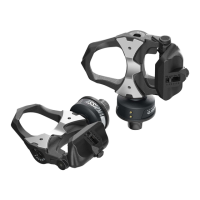
To remove the pedal, use the supplied 8 mm hexagonal wrench:
• Unscrew the LEFT pedal CLOCKWISE (facing it).
• Unscrew the RIGHT pedal COUNTER-CLOCKWISE (facing it).
16. Reinstalling the pedals (on another bicycle)
Any time the pedals are moved from one bicycle to another, a manual offset must be
performed (Chap. 11).
Once the pedals are reinstalled, the power and cadence data displayed on the bike
computer are no longer reliable until Assioma performs an internal self-calibration.
Assioma self-calibrates while cycling by making a few tens of pedal turns. To speed up
the procedure, it is advisable to ride seated, at a uniform pace and on a leveled road.
17. Compatible bike computers
Assioma is compatible with any ANT+ bike computers with Bike Power (PWR) prole.
For the complete list of the ANT+ certied products, visit the website:
http://www.thisisant.com/directory/ (select “Bike Computers” in the Categories menu).
It is advisable to install the latest rmware version available from the bike
computer manufacturer.
If you buy a new bike computer, we suggest the purchase of a model having a
“CT” (Crank Torque) ANT+ prole, which ensures a better stability of the power
being displayed.


 To Next Page