EN-29
| evation
After 2 seconds, the pushing support is activated and sets the e-bike
in motion as long as you keep the button pressed.
3. Guide the e-bike with both hands and brake as necessary to adjust the
speed of the e-bike to your own walking pace by holding or restraining
the e-bike while pushing.
4. Switch off the pushing support by releasing the bottom button.
4.7 Charging the battery
You can either leave the battery in the drivepack during
charging or remove it from the drivepack and charge it sepa-
rately.
1. Before charging the battery, prepare the charger by connecting the
mains cable to the mains adapter.
More detailed information can be found → in chapter 35.1 “Preparing the charger”.
2. Remove the drivepack from your e-bike.
More detailed information can be found → in chapter 15.2 “Removing the drivepack
from the e-bike”.
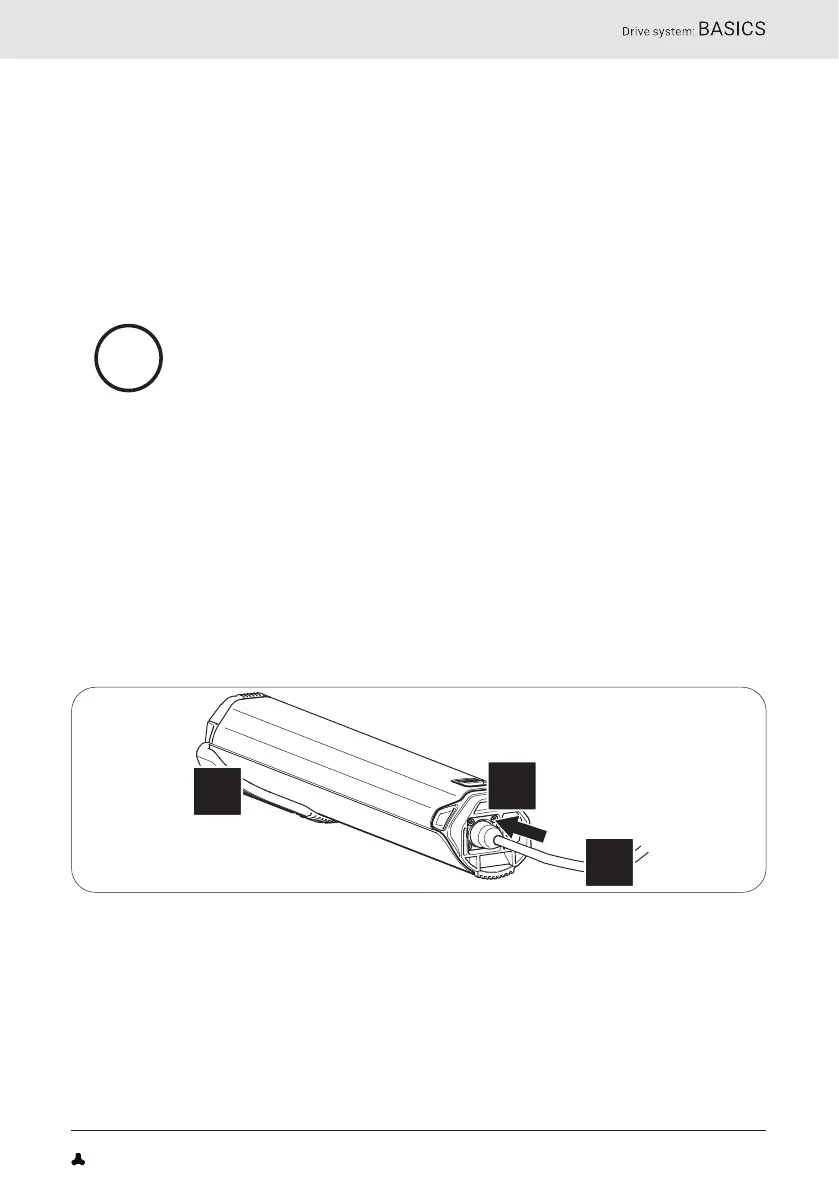
3. Insert the charging plug into the charging socket on the battery.
More detailed information can be found → in chapter 35.2 “Connector charger to the
battery”.
4. Plug the power plug into a suitable wall outlet to establish the power
connection.
The charging process starts automatically after connection to the
mains.
More detailed information can be found → in chapter 31.6 “Charging process” and in
chapter 31.7 “Battery charge level indicator”.
FAZUA Benutzerhandbuch_EN.indb 29FAZUA Benutzerhandbuch_EN.indb 29 26-Feb-20 12:47:0626-Feb-20 12:47:06


 To Next Page