EN-55
| evation
23.2 Setting the pedal support
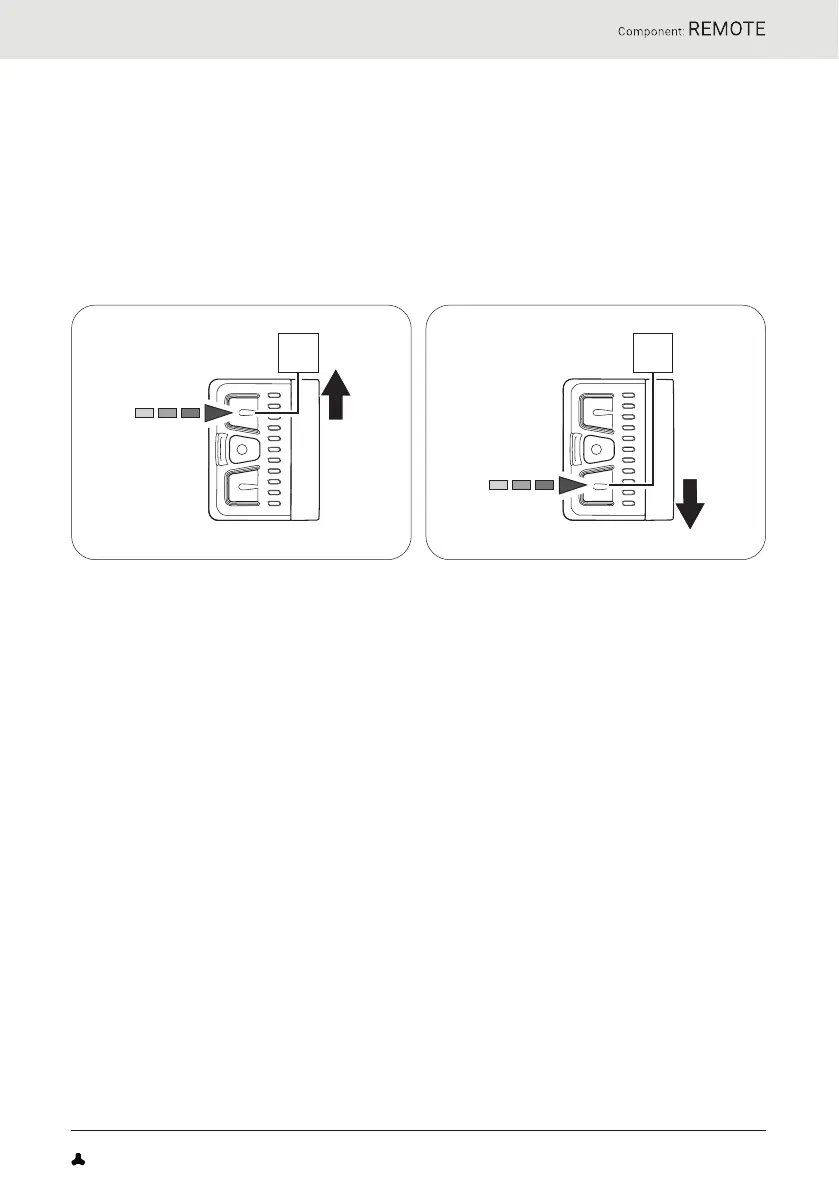
Remote b can be used at any time to set the desired support level, including
when riding.
► Press the top button on Remote b to switch to the next higher support
level.
► Press the lower button on Remote b to switch to the next lower support
level.
23.3 Support levels
No support
• The display LEDs on Remote b are lit in white.
• You are riding without electric pedal support (like a conventional
bicycle).
"Breeze" support level
• The display LEDs on Remote b are lit in green.
• You are riding with minimal but active pedal support for maximum
range.
"River" support level
• The display LEDs on Remote b are lit in blue.
• You are riding with reliable support for most applications.
"Rocket" support level
• The display LEDs on Remote b are lit in pink.
• You are riding with maximum support for challenging rides.
FAZUA Benutzerhandbuch_EN.indb 55FAZUA Benutzerhandbuch_EN.indb 55 26-Feb-20 12:47:1826-Feb-20 12:47:18


 To Next Page