evation |
EN-24
4.2 Switching the drive system on and off
Appearance and handling of the model-dependent remotes
have slight differences.
More detailed information can be found → in chapter 19 “Model vari-
ants of the remote”.
► For all the details listed here, please note exactly those
that apply to your remote. If none of the model variants is
explicitly mentioned, the descriptions refer to all remotes.
4.2.1 Switching on the drive system
More detailed information can be found → in chapter 23.1 “Switching the drive system
on and off” or in chapter 27.1 “Switching the drive system on and off”.
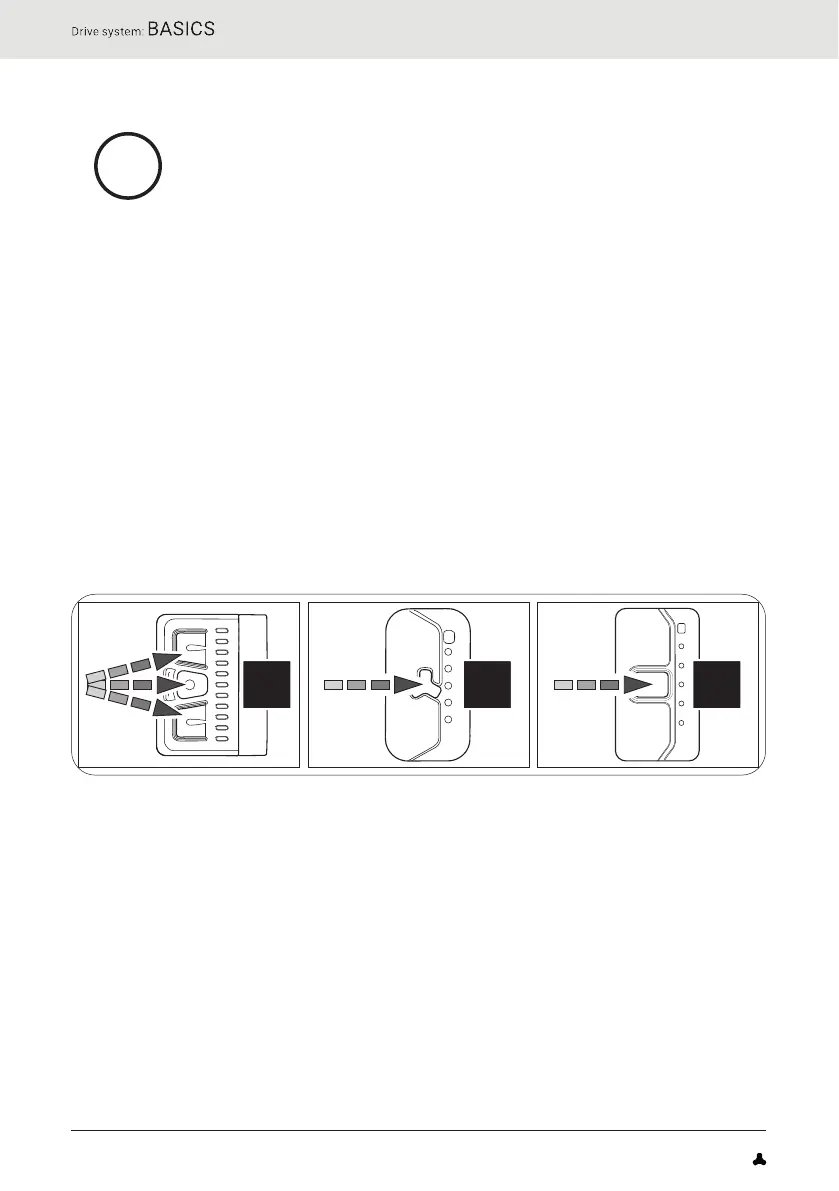
► Switch on the drive system using Remote b by pressing one of the three
buttons.
or
► Switch on the drive system using Remote fX or Remote bX by pressing
the centre button.
CC C
FAZUA Benutzerhandbuch_EN.indb 24FAZUA Benutzerhandbuch_EN.indb 24 26-Feb-20 12:47:0526-Feb-20 12:47:05


 To Next Page