23
Select Text Layout
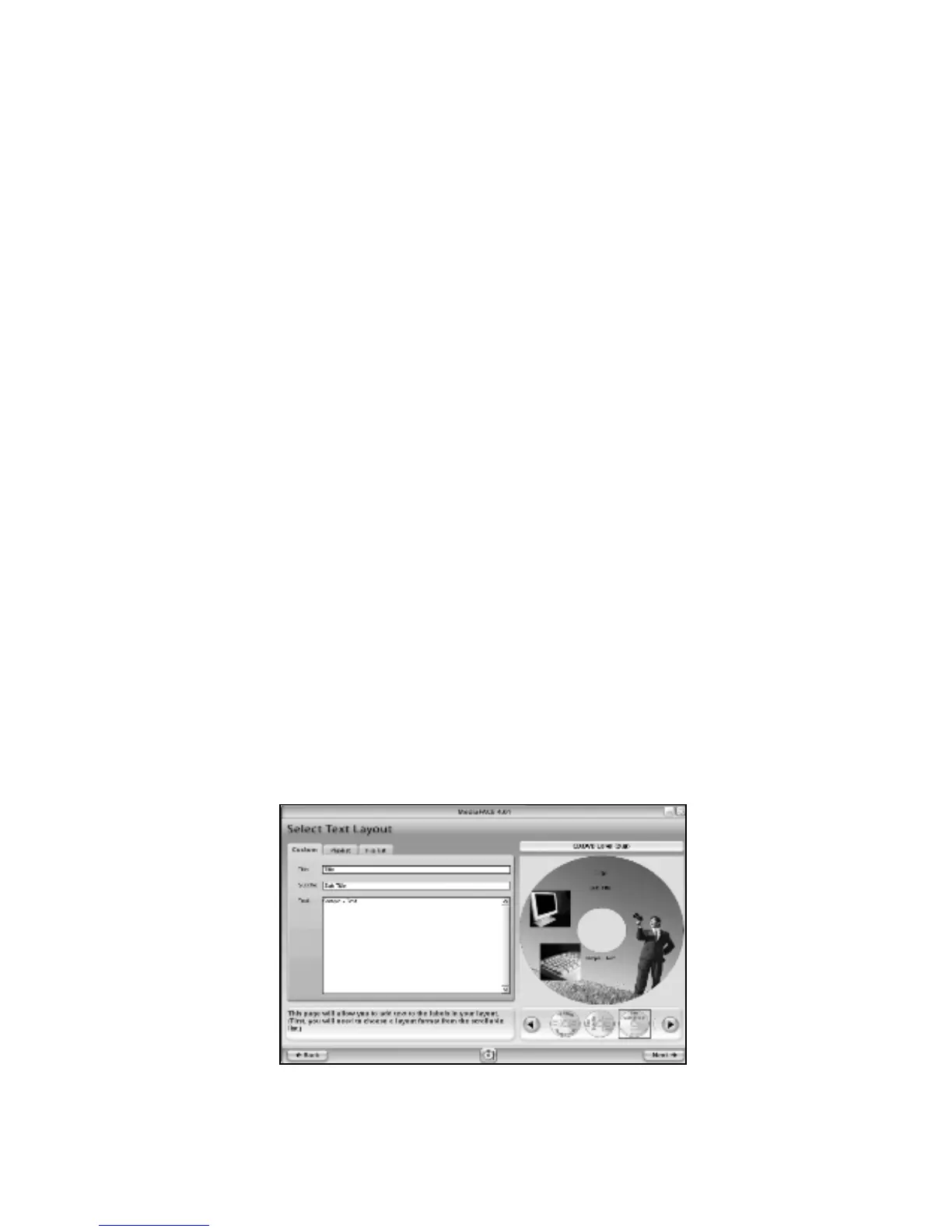
The next step is to add Text to our label. The Text Layout screen allows you to add
custom or pre-defined text to your label. It also provides several text editing and text
effect options. On the Text Layout screen, you will see three main tabs:
Custom – this option allows you to enter and edit text on your label. It also
presents a selection of several different text layout formats.
Play List – this option allows you to load track information using the Digital
Finger Printing feature. Artist, album and play list information can be
automatically downloaded and added to your label.
File List – this option allows you to choose a directory to add as a text list to your
label. Browse folders on local or network drives.
Working with Text
The two types of text that can be added to your label are simple and enhanced. Simple
text is displayed exactly as it is typed in without any major visual changes. Enhanced text
is simple text displayed in a variety of layout formats. Available layout options for
enhanced text are discussed further below.
Text layout formats:
Directly below the Project Workspace where your CD label is displayed, there are several
format options to choose from. Scroll through and select each one to see how the text is
displayed differently for each format. You can always change formats as you’re creating
the text for your label. However, when you switch back and forth between formats, your
text will be reset to the simple text format. You will have to reapply any enhancements to
your text, including font, rotation and angle changes. You may also need to resize or
reposition the text fields when changing formats.
For our CD label example, shown below, the fourth text layout option was selected:
Figure 2.6 – Selecting a text layout format



 To Next Page