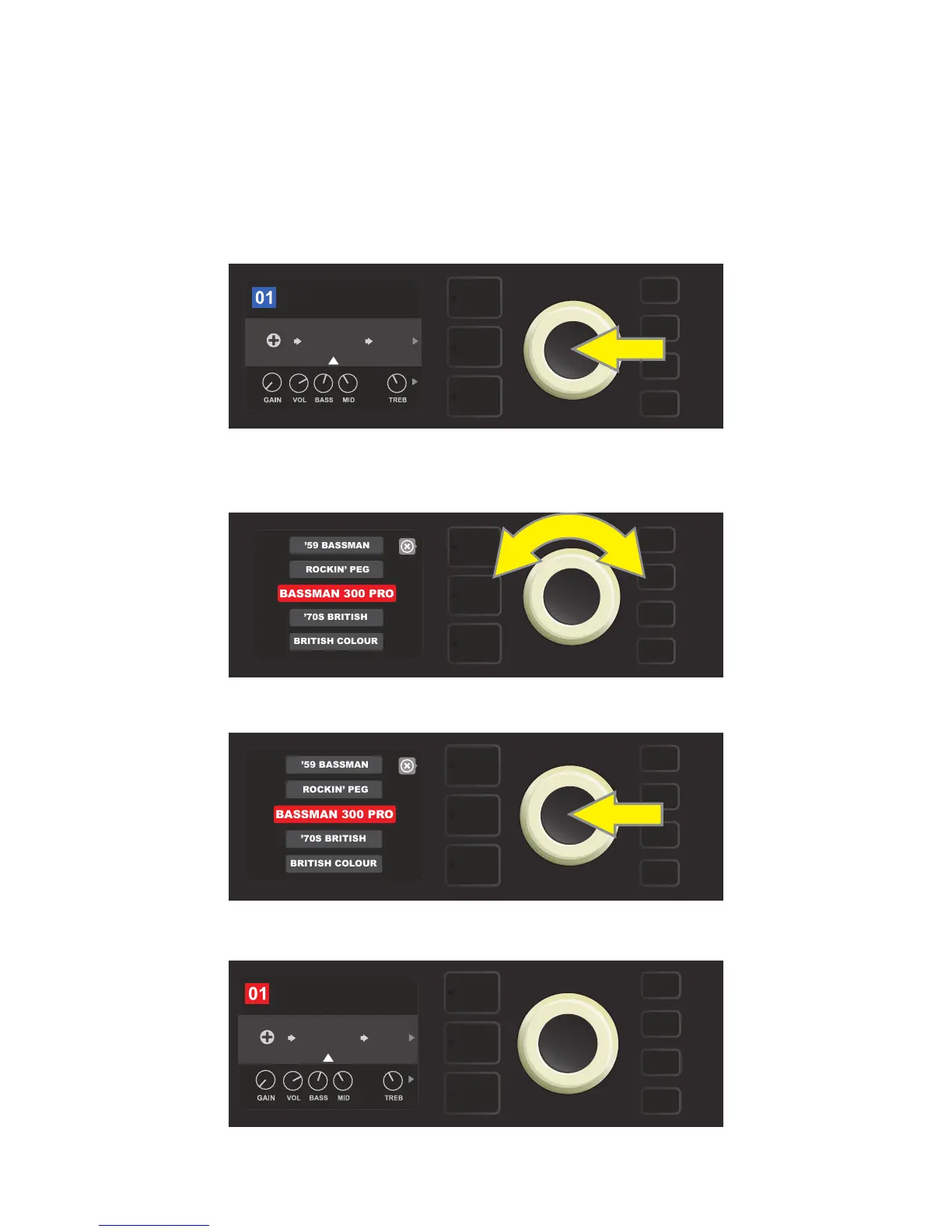
REPLACING PRESET AMPLIFIER MODELS
To replace an amplier model within a preset, access the SIGNAL PATH LAYER by pressing its LAYER BUTTON.
The preset amp model will be highlighted. Press the ENCODER to access and scroll through a menu of amp
models; select a new amp model by pressing the ENCODER again. When a new amp model is selected, the
box containing the preset number changes from blue to red (indicating that a preset edit has been made),
and the SAVE utility button illuminates (see illustrations below). With the new amp model in place, further edits
can then be made or the SAVE utility button can be pressed to keep completed edits. Note that pressing the
PRESET LAYER button corresponding to the circled “X” in the DISPLAY WINDOW closes the amp menu.
To replace preset amp model highlighted in the SIGNAL PATH LAYER (as indicated here by the white arrow below it and the
label “amplier” above it) with a dierent amp model, rst press ENCODER to access a menu of other amp models.
Turn ENCODER to scroll through menu of amp models.
Press ENCODER again to select a new amp model for the preset.
With the new amp model in place, continue editing other parameters
or press the illuminated SAVE utility button to keep completed edits.
15
AMPLIFIER
FREQ
SUPER
BMAN-OD
BASIC BASSMAN CL
1000
SMALL
ROOM
SAVE
AMPLIFIER
FREQ
BASSMAN
300
BASIC BASSMAN CL
1000
SMALL
ROOM















 To Next Page