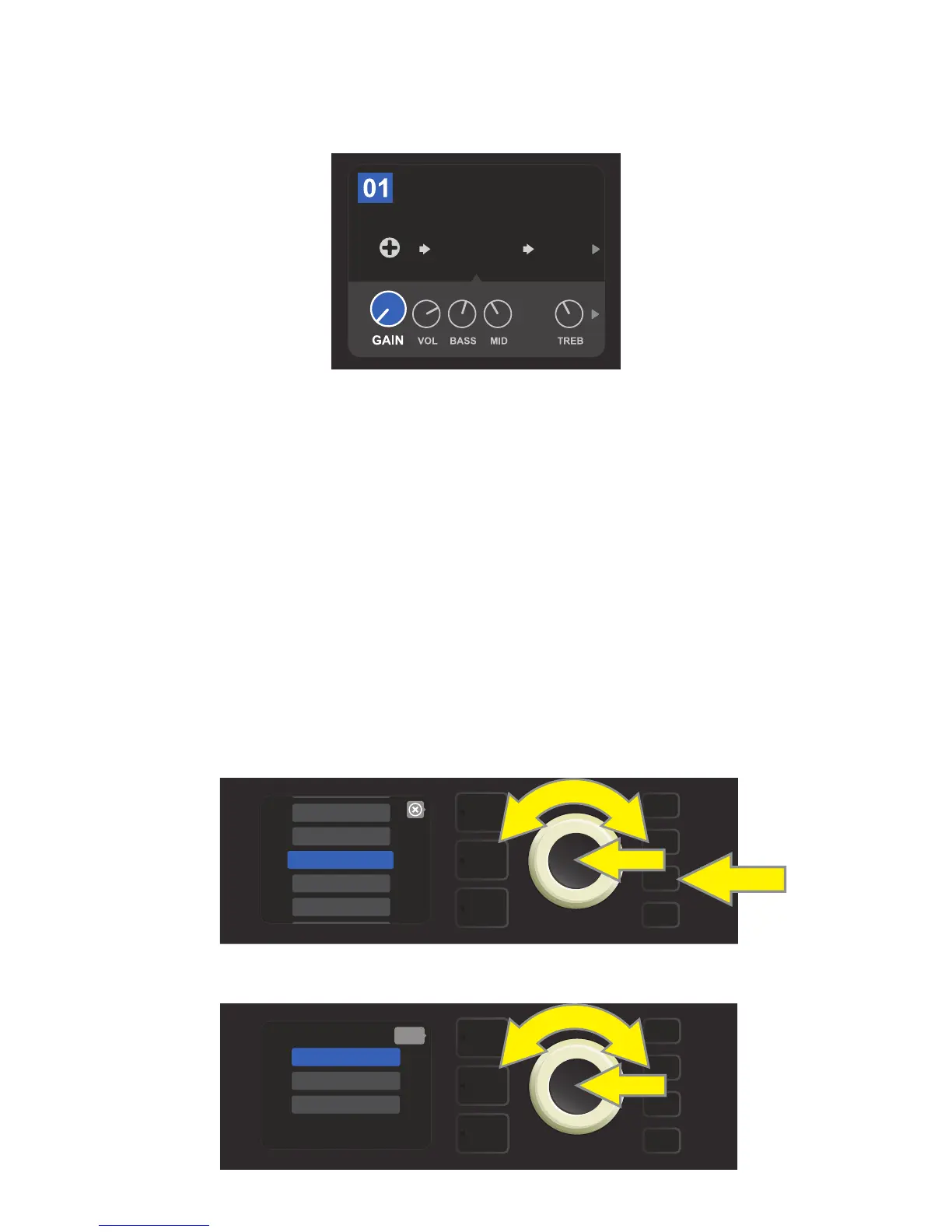
The CONTROLS LAYER of each preset displays information on whatever amp or eect is highlighted in the
SIGNAL PATH LAYER. Amp control knob settings are displayed by default (see illustration below); eects con-
trol settings are displayed when an eect is highlighted in the SIGNAL PATH LAYER. Amp and eects controls
are selected by turning the ENCODER.
Each preset can be used as is. With many dierent amp models, eects types and control settings to choose
among, however, each preset’s SIGNAL PATH LAYER and CONTROLS LAYER settings can easily be modied
and saved for personally individualized sounds (see “Editing and Saving Presets,” pages 10-13).
Close-up detail of the CONTROLS LAYER, in which the gain control for
the amp model within the preset is selected.
6
ORGANIZING PRESETS
Rumble Studio 40/Stage 800 features a PRESET ORGANIZER menu option that lets the user move a preset
(and rename it if so desired), clear a preset, or restore all presets to original factory settings. Each of these
functions is described below.
A preset can be moved to another position in the presets list. To do so, press the MENU utility button and use
the ENCODER to scroll to and select “PRESET ORGANIZER” (see illustration below).
Use the ENCODER to scroll to and select the “MOVE PRESET” option (see illustration below).
MOVING A PRESET
FREQ
AMPLIFIER
BASIC BASSMAN CL
SUPER
BMAN-OD
SMALL
ROOM
1000
MENU
WIFI
SETLIST
PRESET ORGANIZER
BLUETOOTH
CLOUD PRESETS
MENU
MOVE PRESET
CLEAR PRESET
RESTORE PRESETS
back















 To Next Page