Rumble Studio 40/Stage 800 presets cannot be deleted. They can, however, be “cleared”—meaning that the
preset remains in place but is “emptied” of its original contents (control settings, amp model, eects). If it is
part of a Setlist, the cleared preset will remain in the Setlist.
Note that when a preset is cleared, its original sequential number will remain in place, and it will by default
contain only the “Studio Preamp” amp model (and its controls).
To clear a preset, rst press the MENU utility button and use the ENCODER to scroll to and select “PRESET
ORGANIZER” (see illustration below).
7
CLEARING A PRESET
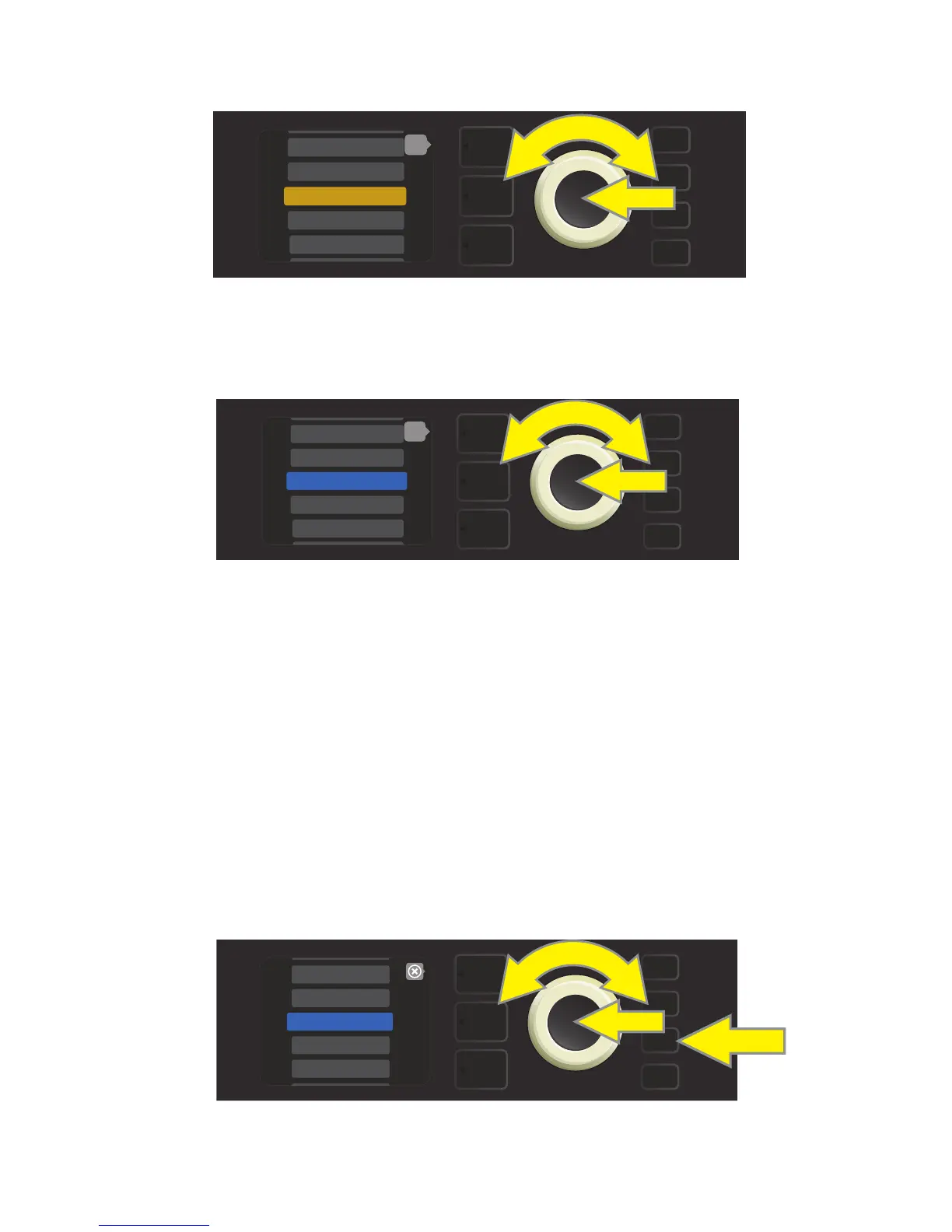
From the list of presets shown. Use the ENCODER to scroll to and select the preset to be moved. When a pre-
set is selected to be moved, the box containing its name changes from blue to amber (see illustration below).
Turn the ENCODER to move the amber-highlighted preset to a dierent position in the preset list; then press
the ENCODER to assign the preset to that new position. The amber box containing the preset name will then
change back to blue (see illustration below).
Note that when moving a preset to a new position, it assumes the correct sequential numerical value for that
position; accordingly, all other presets are then “shifted” into correct sequential numbering.
MENU
6 - KGB-800
7 - ROCKIN’ PEG
9 - ’59 BASSMAN>
10 - ’70S BRIT>
back
8 - BASSMAN 300>
MENU
8 - ’59 BASSMAN>
11 - BASSMAN TV
9 - ’70S BRIT>
back
12 - BRITISH CO>
10 - BASSMAN 300>
MENU
WIFI
SETLIST
PRESET ORGANIZER
BLUETOOTH
CLOUD PRESETS















 To Next Page