8
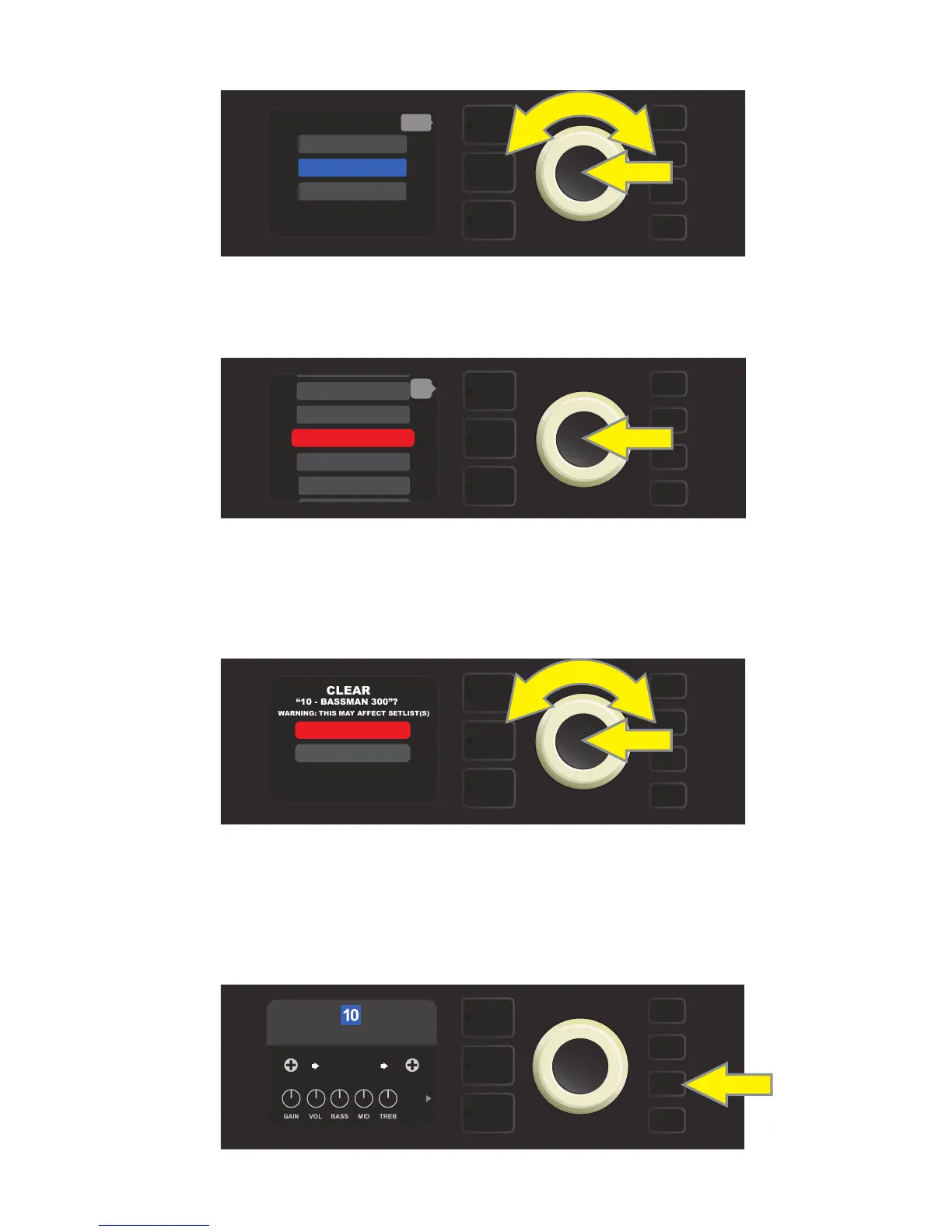
Use the ENCODER to scroll to and select the “CLEAR PRESET” option (see illustration below).
A list of presets will then appear with the preset to be cleared highlighted in red in the middle. Press the
ENCODER on the red-highlighted preset to clear the preset (see illustration below).
Rumble Studio 40/Stage 800 will then verify whether the user wants to clear the preset by prompting a
choice of “YES” (clear) or “NO” (do not clear). This prompt will also note that clearing the preset may aect
Setlists (if indeed that preset is included in a Setlist). Use the ENCODER to select “YES” or “NO,” and press the
ENCODER on either option (see illustration below).
On selecting “YES” (clear preset), the preset will remain in place but will automatically be re-titled “EMPTY.” If
done clearing presets at this point, return to the main menu by pressing the top LAYER BUTTON correspond-
ing to the onscreen prompt “BACK.” To return to the current (and now empty) preset, press the MENU utility
button. As noted above, the now-cleared preset will contain only its original sequential number and the
default “Studio Preamp” amp model (see illustration below).
MENU
MOVE PRESET
CLEAR PRESET
RESTORE PRESETS
back
MENU
8 - ’59 BASSMAN>
11 - BASSMAN TV
9 - ’70S BRIT>
back
12 - BRITISH CO>
10 - BASSMAN 300>
MENU
WARNING: THIS MAY AFFECT SETLIST(S)
YES
NO
MENU
STUDIO
PREAMP
EMPTY
CAB
NONE















 To Next Page