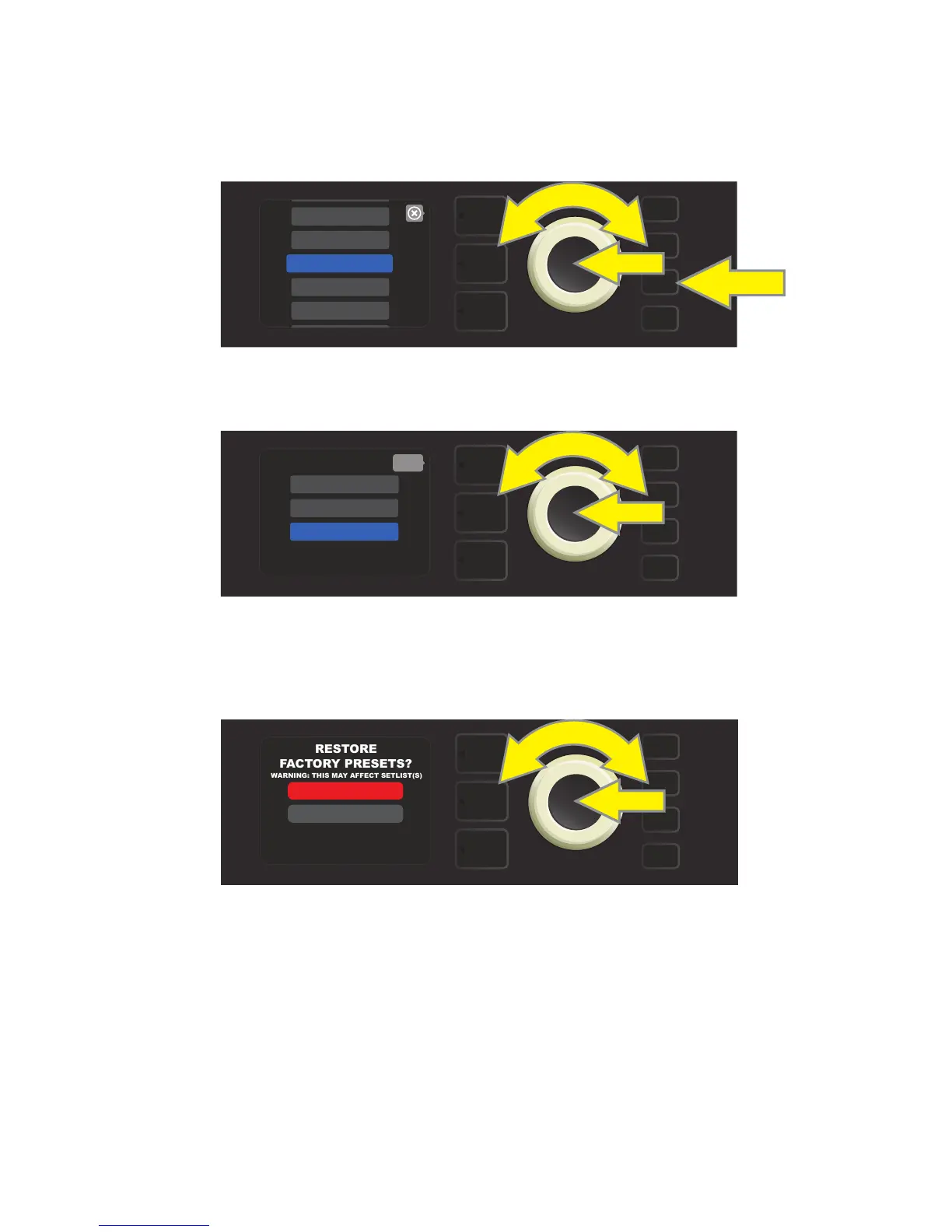
Rumble Studio 40/Stage 800’s PRESET ORGANIZER also includes a “RESTORE PRESETS” option that returns all
presets to the original factory settings. To do this, rst press the MENU utility button and use the ENCODER
to scroll to and select “PRESET ORGANIZER” (see illustration below).
Use the ENCODER to scroll to and select the “RESTORE PRESETS” option (see illustration below).
Rumble Studio 40/Stage 800 will then verify whether the user wants to restore all amp presets by prompting
a choice of “YES” (restore) or “NO” (do not restore), made by pressing the LAYER BUTTON corresponding to
either choice (see illustration below).
RESTORING PRESETS
9
MENU
WIFI
SETLIST
PRESET ORGANIZER
BLUETOOTH
CLOUD PRESETS
MENU
MOVE PRESET
CLEAR PRESET
RESTORE PRESETS
back
MENU
WARNING: THIS MAY AFFECT SETLIST(S)
YES
NO















 To Next Page