EDITING AND SAVING PRESETS
Within each preset, the amplier control knob settings, amp models, and eects types and parameters can
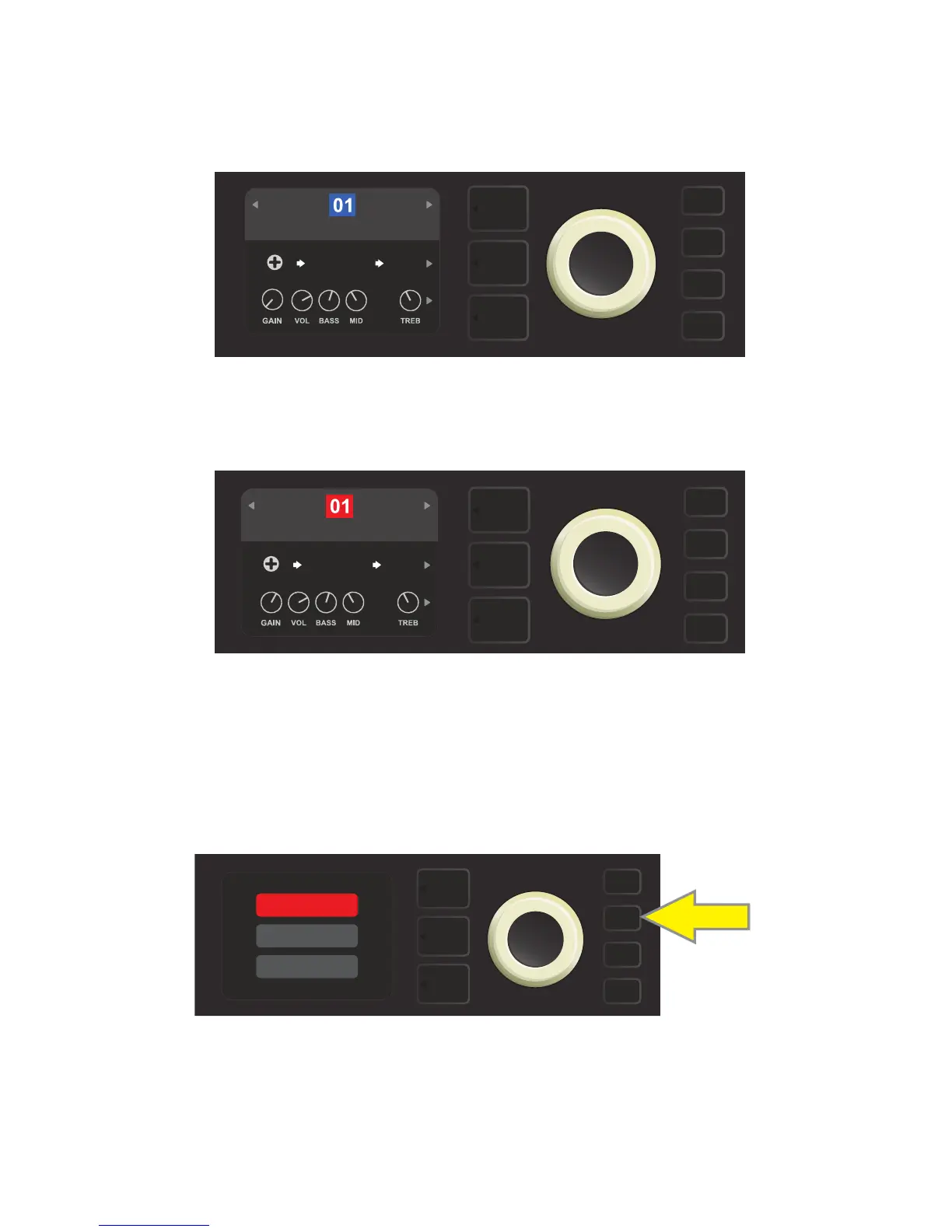
be tailored to individual preference. When a preset is selected, the box containing its number is blue, indicat-
ing that no edits have been made to it (see illustration below).
When edits to a preset have been made, the box containing the preset number changes to red, and the SAVE
utility button illuminates (see illustration below). If an edited setting is not saved, the preset will revert to its pre-
vious settings when returning to the preset after leaving it, or when turning the amplier o and back on again.
10
SAVING EDITED PRESETS
Once a preset is edited, there are three options for saving it. These options are accessed by pressing the SAVE
utility button and using the ENCODER to scroll to and select one of the three options, described below.
SAVE: For saving the edited preset using the same name and in its original position (see illustration below).
SAVE AS: For moving the edited preset to a dierent position and saving it with or without a dierent name.
The preset can be moved to a numbered empty slot, or it can replace (overwrite) an existing preset occupy-
ing another numbered slot.
SUPER
BMAN-OD
BASIC BASSMAN CLN
FREQ
1000
SMALL
ROOM
SAVE
SUPER
BMAN-OD
BASIC BASSMAN CLN
FREQ
1000
SMALL
ROOM
SAVE
SAVE
SAVE AS
RENAME















 To Next Page