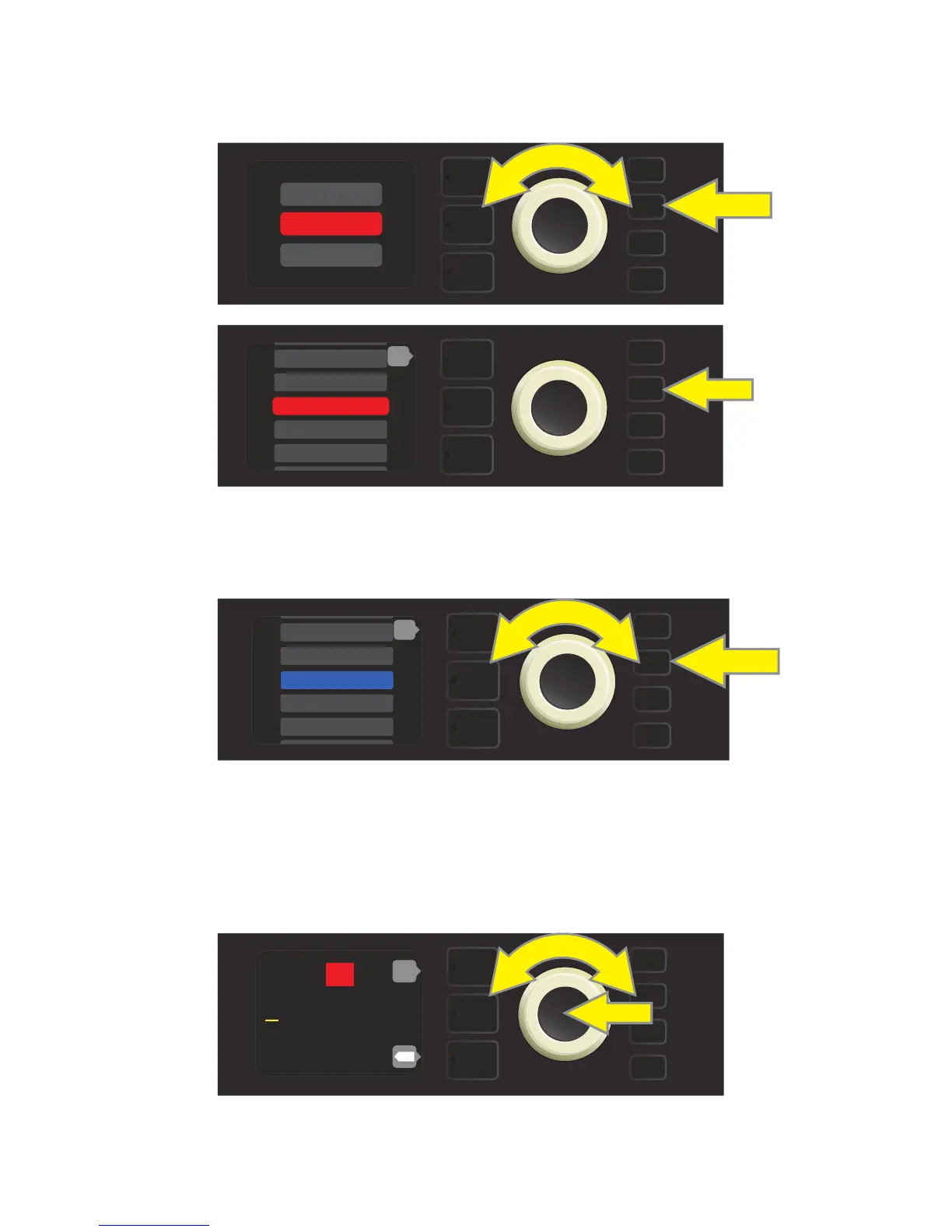
To move the edited preset to an empty slot and save it with the same name, rst press the SAVE utility
button; use the ENCODER to scroll to and select “SAVE AS.” The preset name will be highlighted in red (see
illustrations below).
Move the highlighted preset by turning the ENCODER to any empty preset slot (which will then be highlight-
ed in blue); press the SAVE utility button to save the edited preset to the empty slot (see illustration below).
To move the edited preset to an empty slot and save it with a dierent name, follow the same steps above;
but instead of pressing the SAVE utility button at the end, press the ENCODER to activate a cursor. Enter a new
name by scrolling through and selecting characters by turning and pressing the ENCODER. (see illustration
below). Press the SAVE utility button when renaming is complete, or press the top LAYER button (correspond-
ing with onscreen prompt “back”) to return to the previous screen.
11
SAVE
SAVE
SAVE AS
RENAME
SAVE
199 - EMPTY
200 - EMPTY
2 - RUMBLE V3 C>
3 - RUMBLE V3 D>
back
1 - RUMBLE V2 C>
SAVE
194 - EMPTY
195 - EMPTY
197 - EMPTY
198 - EMPTY
back
196 - EMPTY
SAVE
R u m b l e V 2 C l e a n
196
back
X















 To Next Page