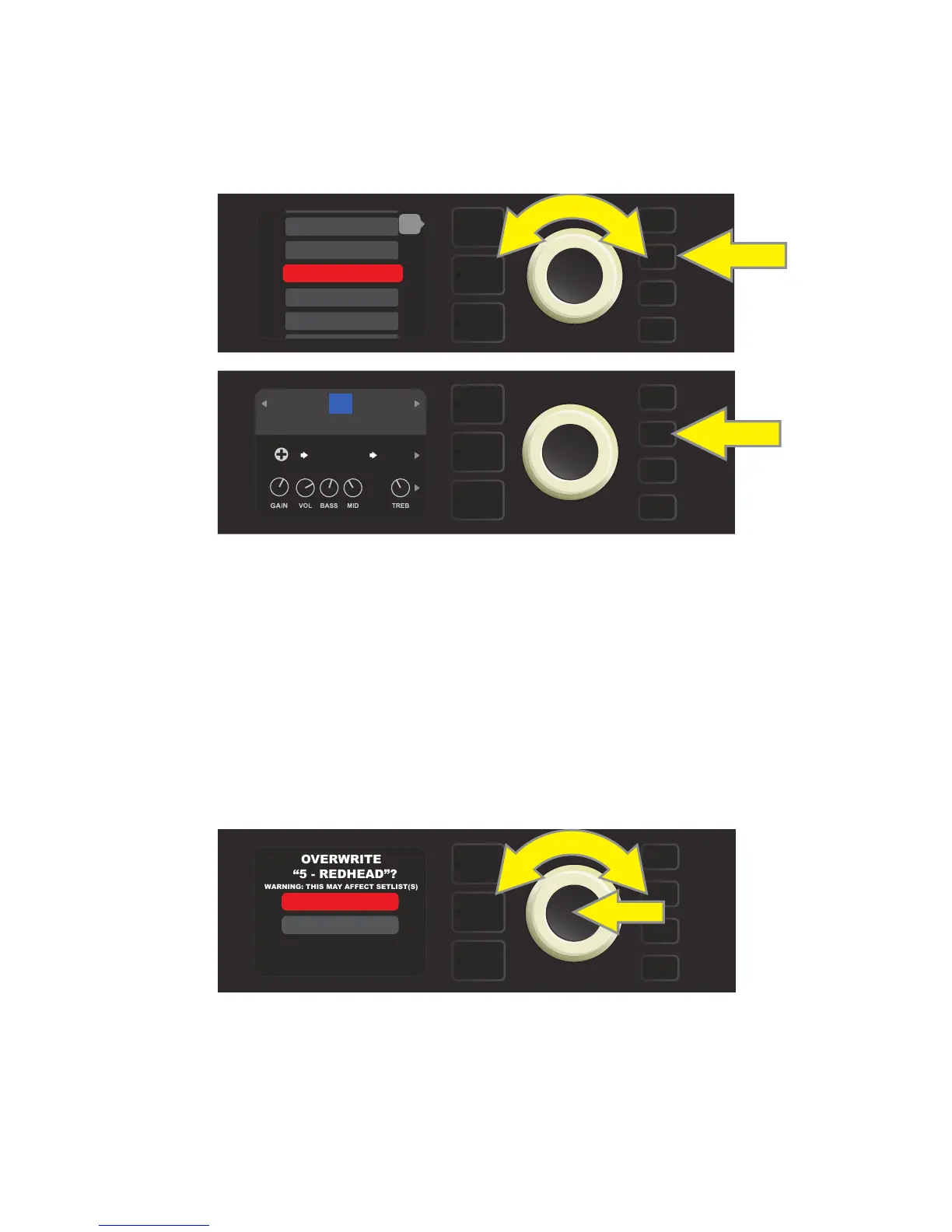
To move the edited preset to a slot already occupied by an existing preset and save it with the same name,
press the SAVE utility button and use the ENCODER to scroll to and select “SAVE AS” (as described on page 11);
as noted previously, the name of the preset to be moved will be highlighted in red.
Move the highlighted preset by turning the ENCODER to any already-occupied preset slot (red); press the SAVE
utility button to save the edited preset to that slot and overwrite the previous preset (see illustrations below).
Note that when overwriting a preset in this manner, the preset previously assigned to the position selected
is erased from the amplier. The only way to recover it is to use the “RESTORE PRESETS” option in the PRESET
ORGANIZER (see page 9), an option that returns all presets to the original factory settings.
To move the edited preset to a slot already occupied by an existing preset and save it with a dierent name,
press the SAVE utility button and use the ENCODER to scroll to and select “SAVE AS,” after which the name of
the preset to be moved will be highlighted in red (as described above and on page 11). Then move the high-
lighted preset by turning the ENCODER to any already-occupied preset slot (red).
At the new position, press the ENCODER. The user will then be prompted to OVERWRITE the existing preset
in that position. Use the ENCODER to scroll to and select either “YES” or “NO” (see illustration below).
Selecting “YES” takes the user to the renaming screen; use the ENCODER to enter a new name using the process
described at the bottom of page 11. Press the SAVE utility button when renaming is complete. Selecting “NO”
returns the user to the previous screen in which the preset name is highlighted in red in its original position.
Note that when overwriting a factory preset in this manner, the preset previously assigned to the position se-
lected is erased from the amplier. The only way to recover a factory preset is to use the “RESTORE PRESETS” op-
tion in the PRESET ORGANIZER (see page 9), an option that returns all presets to the original factory settings.
12
SAVE
SUPER
BMAN-OD
BASIC BASSMAN CLN
FREQ
1000
SMALL
ROOM
15
WARNING: THIS MAY AFFECT SETLIST(S)
YES
NO
SAVE
SAVE
13 - BASIC SHOW>
14 - BASIC ’59>
16 - ’59 BASSMA>
17 - BASIC RUM>
back
15 - BASSMAN RO>















 To Next Page