6
1.2 Visitor Call
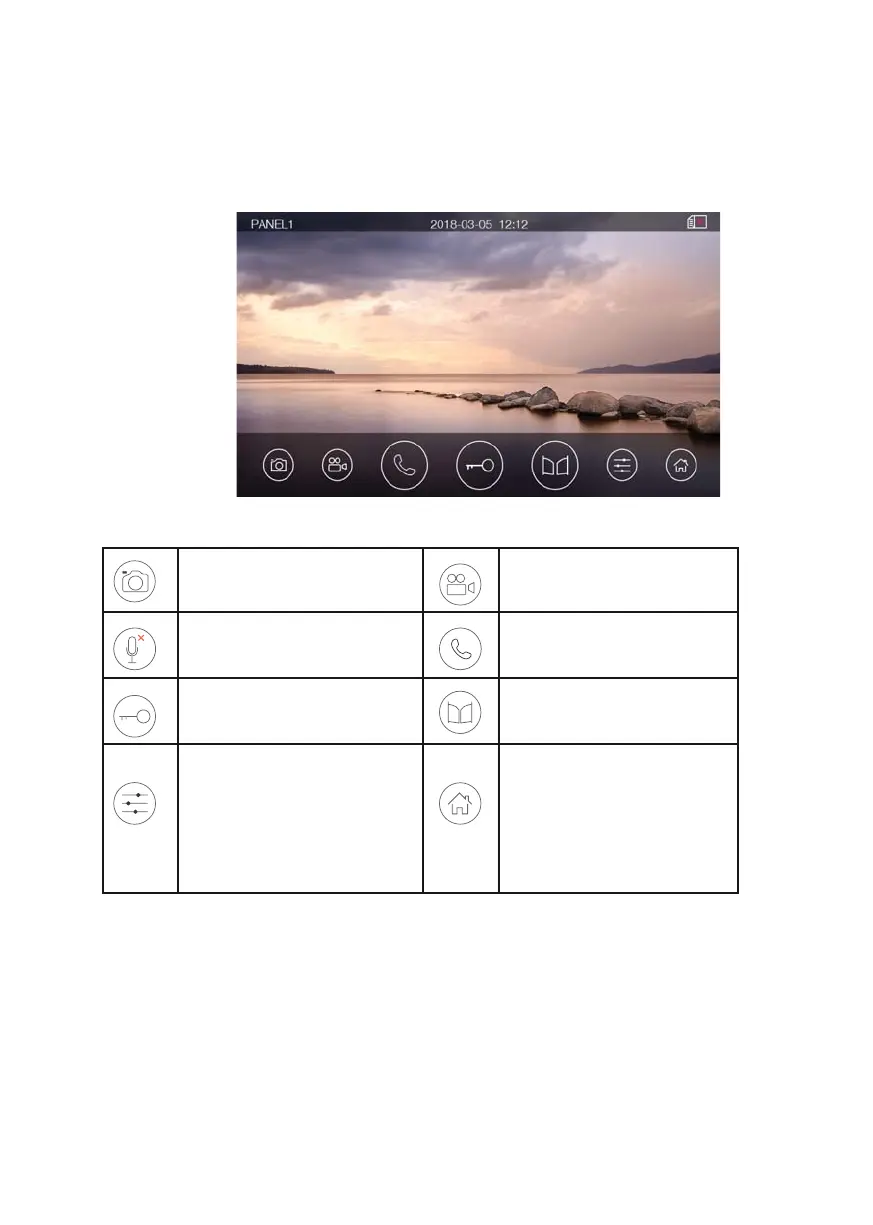
When outdoor panel calls, the visitor’s image will be shown on the monitor screen for
30 seconds. You can press [Talk] icon to talk with the visitor. Pressing [Home] icon
terminates the talk.
Options
Capture a picture (*)
Record a video with audio
(15”) (*)
Silence microphone Talk
Release the electric lock Open the automatic door
Adjust display
parameters (brightness/
color/ contrast) and
volume (for call tone or
for conversation) and lock
activation times.
Back to [Main Page]
Remark:
• Volume adjustment regulates the ringtone when audio is not connected and
conversation when it is connected.
• You can also record a video or capture a picture from the calling door station
automatically depending on the system setting.
(*) Please read the disclaimer section according to this functionality.













 To Next Page