10
SETTING AND WORK
Fig. 2
Fig. 3
Fig. 4 Fig. 5
VIEW ON DISPLAY UNIT - "Light" Button
INDOOR UNIT LED INDICATORS
AIR OUTLET ADJUSTMENT
When the deector turns on, it has a pre-set inclination. It is possible to automatically adjust the vertical direction of
the air ow, while the horizontal adjustment must be carried out manually.
Vertical adjustment
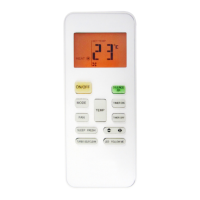
Press the “ ” button (Fig. 5) to adjust the vertical air ow direction (Fig. 4 coming from the indoor unit.
The unit is set by default in "static" mode, therefore every time the button is pressed the position changes according
to the sequence displayed on the remote control.
The pressure of the active "Light" button on or off the
indoor unit display. The remote control display shows
the active mode with the symbol while on the display
will show the set point temperature.
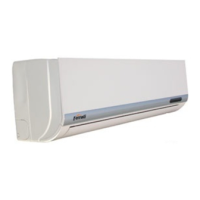
The meaning of the LEDs on the front panel of the in-
door unit is explained below:
1. POWER INDICATOR
It lights up when the unit is on.
2. TEMPERATURE INDICATOR
It indicates the set ambient temperature. In case of
errors, these will be indicated with the specic code.
3. RECEIVER
It receives the infrared signals sent by the remote con-
trol.
Fig. 6



 To Next Page