14
SETTING AND WORK
FINDING MODEL
In the case in which they occur in the product of malfunction conditions
associated with an abnormality of an internal unit, this anomaly will be
signaled on the outdoor unit with the indication of the indoor unit code
faulty. You can query the different units to know their code and then know
which of the units is faulty.
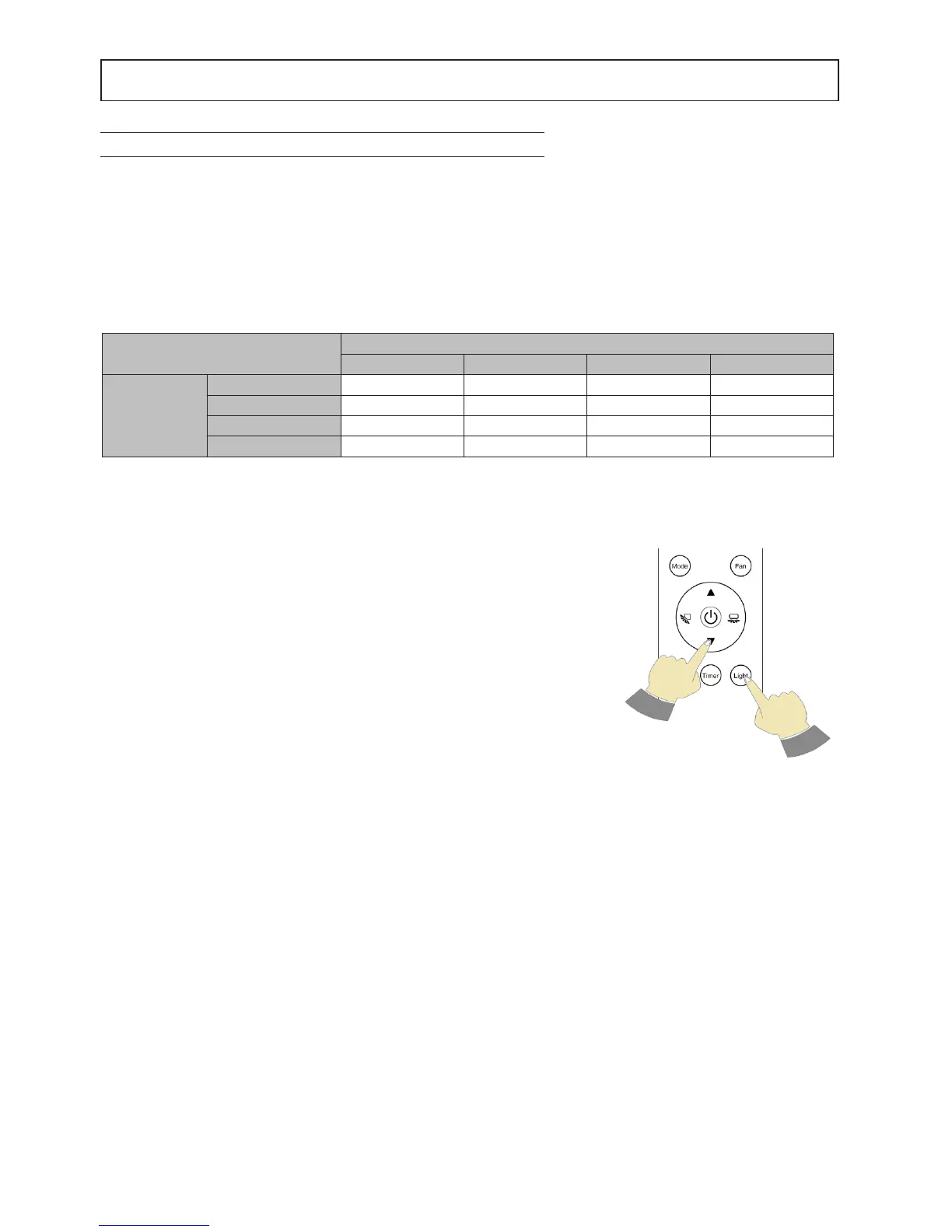
To verify this, pointing the remote control at the display unit whilst simul-
taneously holding down the buttons "light" and "▼" (Figure 1). The indoor
unit display will show a number from 1 to 5 corresponding to the number
of the unit.
Fig. 1
NOTES FOR USE IN MULTISPLIT SYSTEMS
OPERATION COMPATIBILITY
If operating modes non-compatible with the different indoor units are requested at the same time, the non-compati-
bility will be signalled by the symbol on the indoor unit display. In general, the system ensures the priority to the unit
set to HEAT.
Compatibility table
Table 2 indicates how unit 2 during turning on phase, in case of unit 1 on, can decide whether to turn on or force unit
1 to turn off according to the selected mode.
(1) unit 1 turns off
(2) unit 2 does not turn on
Operating mode
Unit 2 setting during turning on
Cool Heat Dry Fan
Unit 1 setting
while turned on
Cool yes no (1) yes yes
Heat no (2) yes no (2) no (2)
Dry yes no (1) yes yes
Fan yes no (1) yes yes



 To Next Page