EasyManua.ls Logo

Fetch TV SmartBox 8320HD - Network and Tuning Procedures; Start the Auto Tuning Procedure; Network Connection Introduction

Fetch TV SmartBox 8320HD
43 pages
Print Icon
To Next Page IconTo Next Page
To Previous Page IconTo Previous Page
Loading...
5.6.5
START THE AUTO TUINI
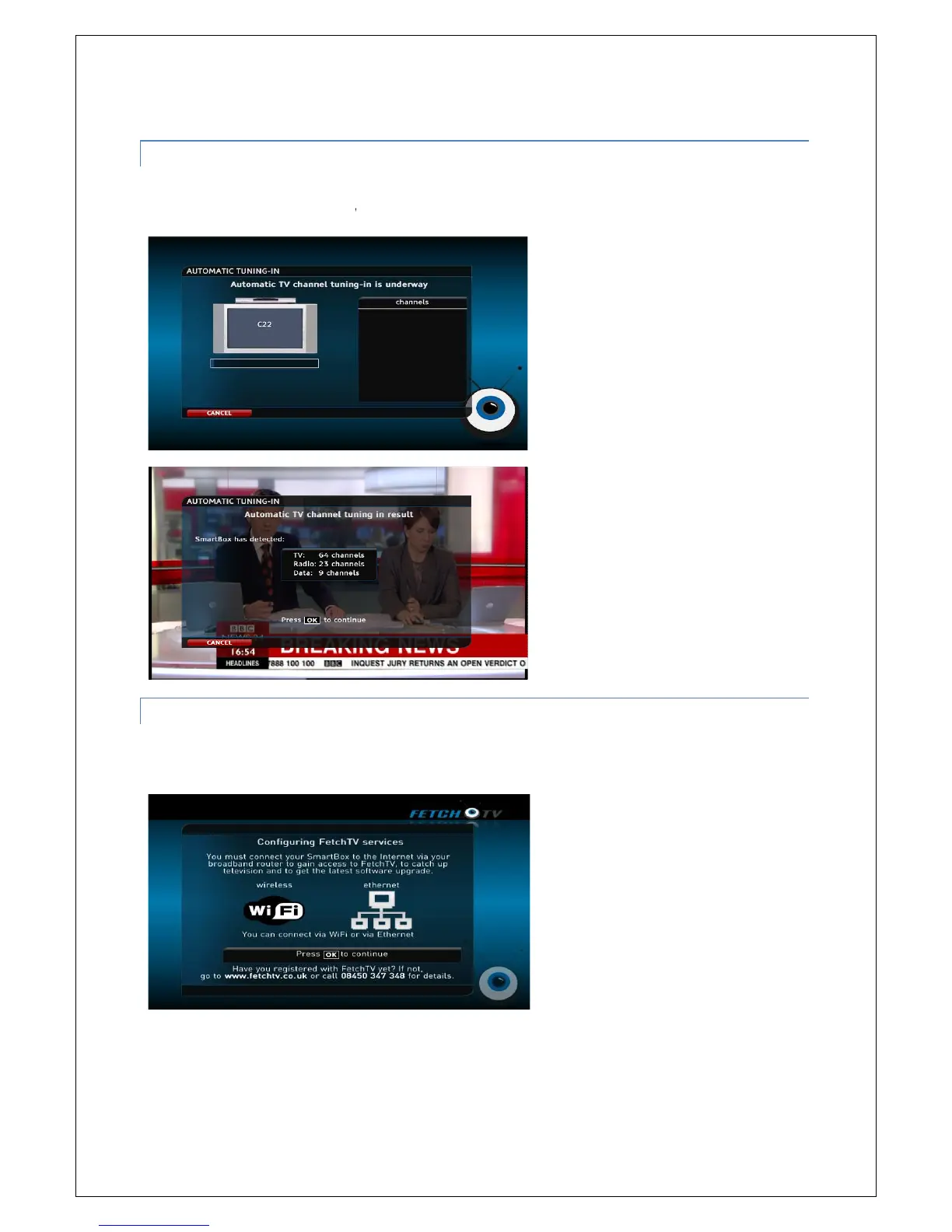
This will
automatically find all the channels currently available in your region
in
process progresses, channels will appear in the list on the right.
5.6.6
NETWORK CONNECTION I
To get the most out of your
SmartBox
Ethernet connection.
START THE AUTO TUINI
NG IN PROCEDURE
automatically find all the channels currently available in your region
. As the automatic tuning
process progresses, channels will appear in the list on the right.
NETWORK CONNECTION I
NTRODUCTION
SmartBox
, we reccommend, where possible,
to connect using
14
. As the automatic tuning
to connect using
the

Table of Contents

Related product manuals