30
9.3 REMOTE RECORDING
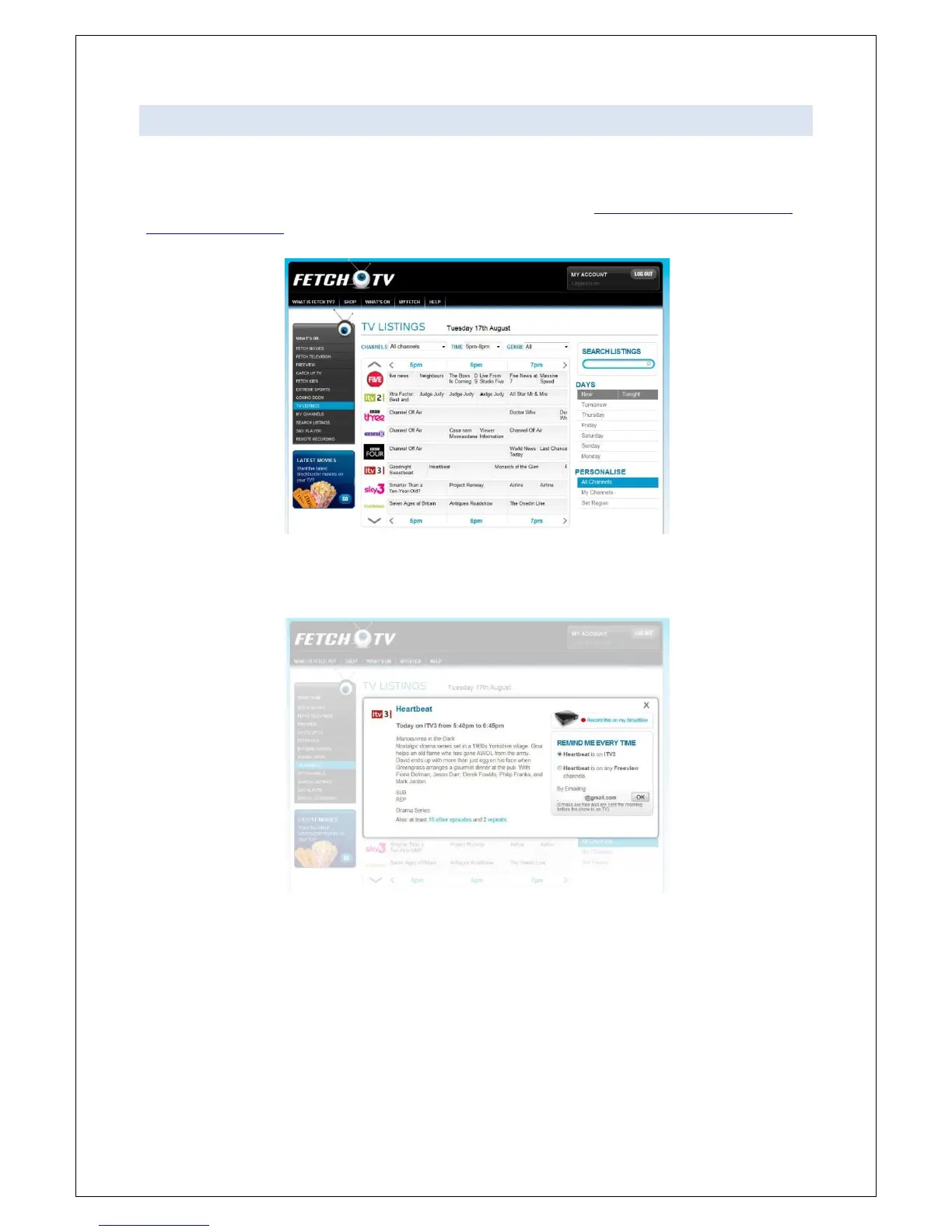
You can now find out what’s on Freeview over the next 7 days and set your SmartBox to record, from
anywhere in the world.
Visit www.fetchTV.co.uk and sign in to your FetchTV account. Go to http://www.fetchTV.co.uk/my-
fetch/TV-listings.html and look for the programme which you’d like your SmartBox to record.
Click on the programme for the synopsis, and the option to set email reminders when the show is on,
or to “Record this on my SmartBox”.
Select “Record this on my SmartBox” and your SmartBox will be set to record the selected
programme. When the SmartBox is in standby, it will check for new recordings every 5 minutes.
When the SmartBox is in Low Power mode, it will check for new recordings daily. By default, if the
SmartBox is left in standby for over 10 minutes it will power down to low power mode. Disabling the
“Energy savings delay” in the Display preferences menu will prevent this.



 To Next Page