Go to fetco.com for the latest versions of all information Page 13 User Guide & Operator instructions P213e0 NOVEMBER 2021
Saving changes and exiting PROGRAMMING
The brewer will save changes only from the “H” menu.
reboot brewer or toggle ON/OFF-exit as below.
TO EXIT PROGRAMMING & HOW TO SAVE CONTROL SETTING CHANGES
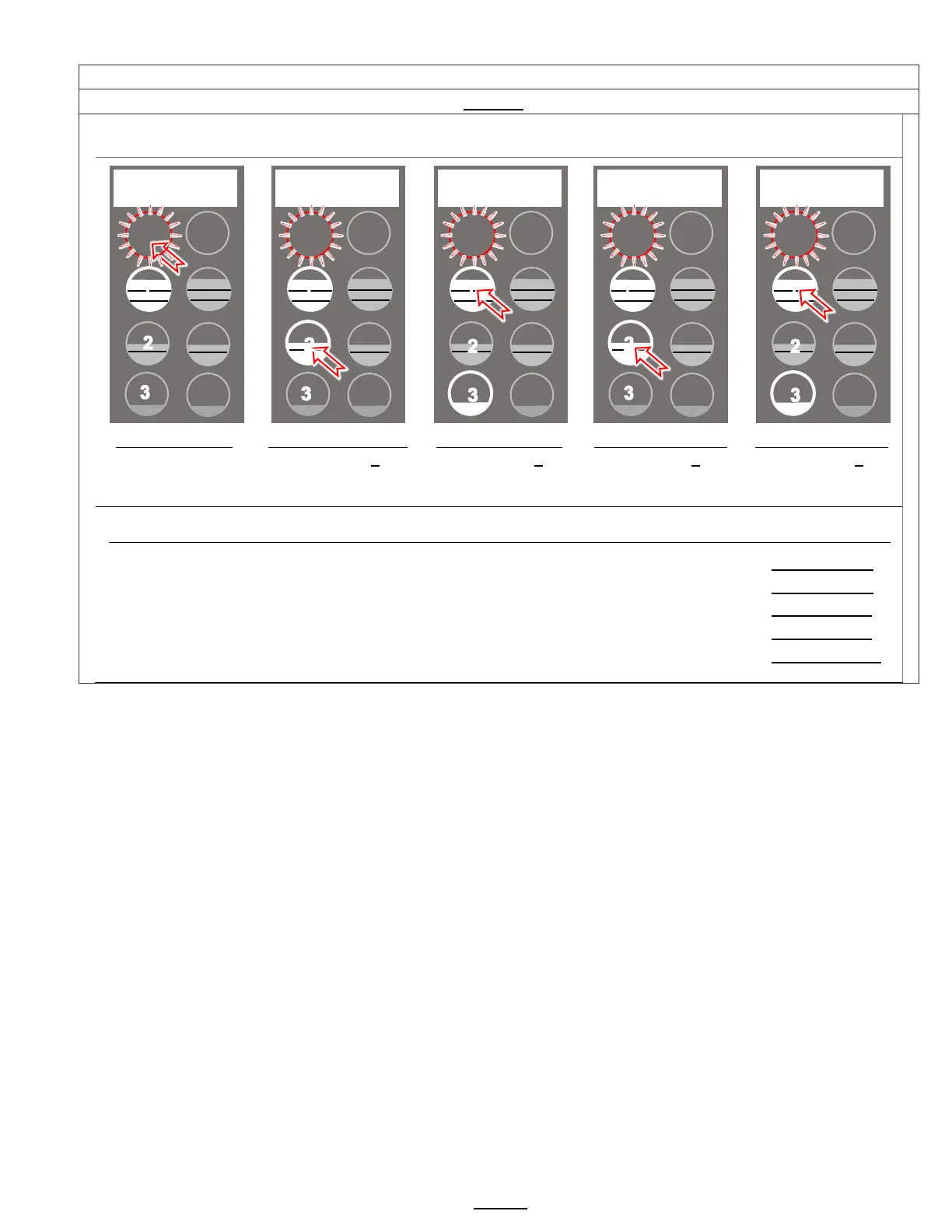
HOW TO SAVE CHANGES AND EXIT-The brewer is in PROGRAMMING mode.
From any screen-
Press STOP button
until the EXIT (“H”)
screen appears
From the “H” screen
Press button 2 to
toggle to the EXIT-
YES screen
From EXIT screen
Press button 1 to
toggle to the SAVE
screen
From SAVE screen
Press button 2, to
toggle to the SAVE-
YES screen
To SAVE and EXIT
Press button 1 to
SAVE your changes
and EXIT
NOTE: User Settings will be erased and overwritten to factory default settings by the following five programming changes
1) When setting or changing units of display for the tank temperature (F Fahrenheit or C Celsius). (SETTING B4)
2) When setting or changing units of display for the volume (L liters, G gallons). (SETTING B5)
3) When setting brewer model The software sets equipment to brewer defaults (SETTING F3)
4) When loading from USB (Reprograms settings) (SETTING F9)
5) When restoring defaults (Reloads to defaults ) (SETTING E10)
STOP
1
2
1


 To Next Page