Making a second Phone Call
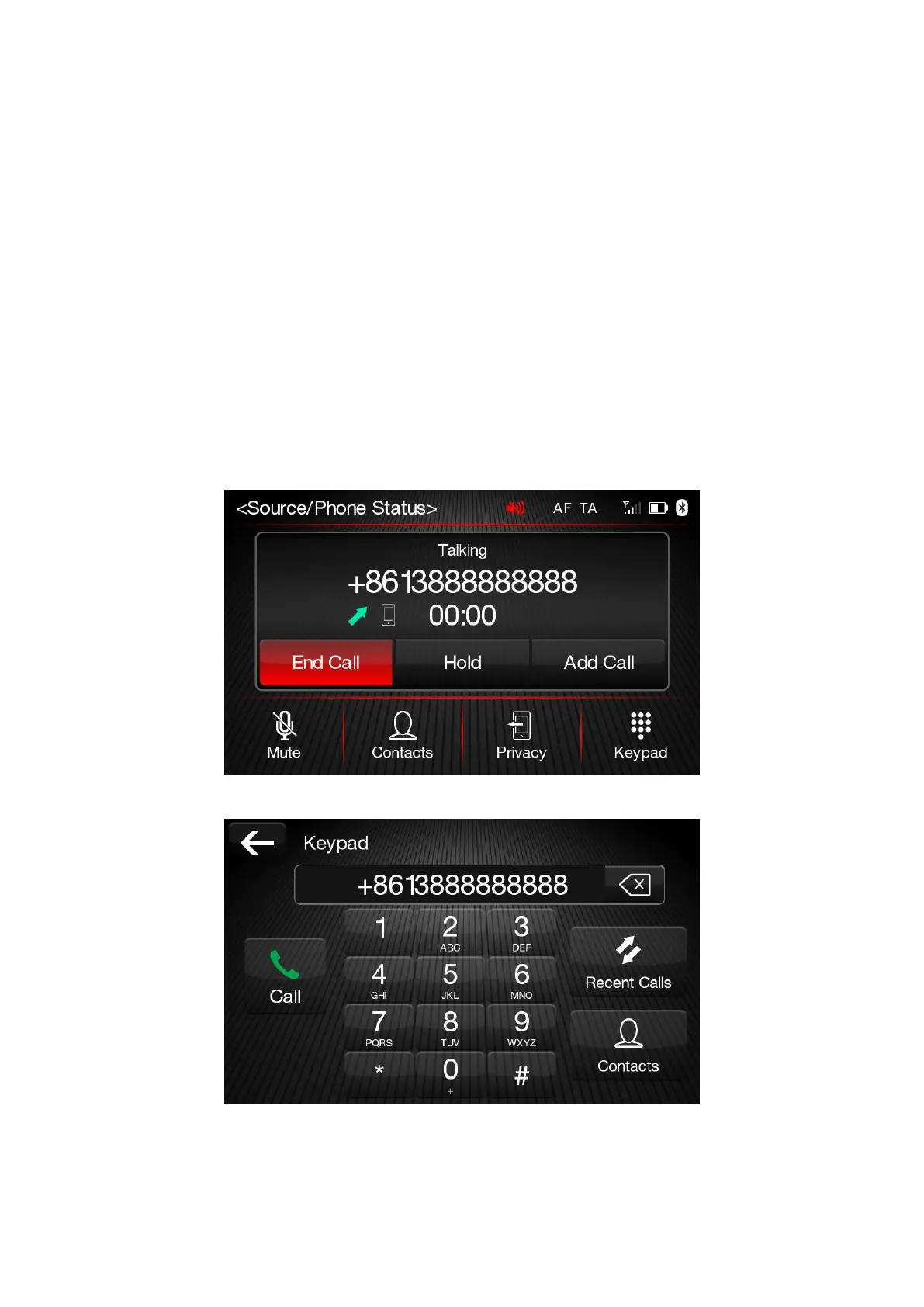
When a phone conversation is active, a second phone call can be made as 3 different ways on the
same menu as follows:
Press “Add Call” button and Keypad screen is open;
➢
Dial the number using the numbered buttons and press “Call” button;
➢
Press “Recent Calls” button to select from the list of recent calls;
➢
Press “Contact” and go to the Phonebook then select the contact;













 To Next Page