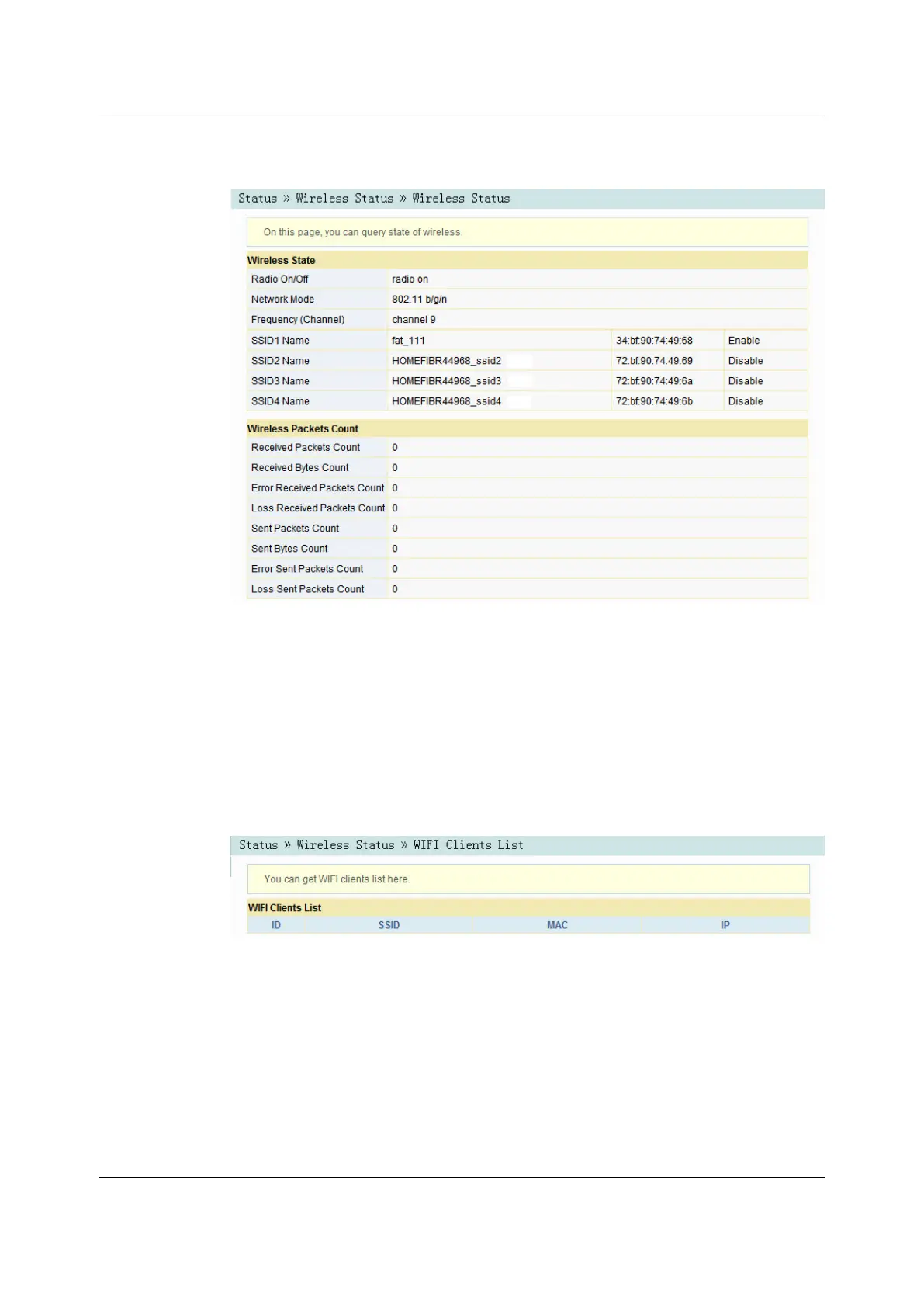
Figure 3-3 Wireless Network Status
3.2.2.23.2.2.2 Wi-Fi User List
Select Status in the navigation bar, and then select Wireless Status→WIFI Clients
List in the left link bar to view the list of client ends connected to the ONT wireless
network, as shown in Figure 3-4.
Figure 3-4 WIFI User List
3.2.33.2.3 WAN Side Status
Select Status in the navigation bar, and then select Wan Status→Wan Status in
the left link bar to view the information such as the status, IP obtaining mode, IP
address and subnet mask of the WAN interface, as shown in Figure 3-5.
26
Version: A


 To Next Page
 Loading...