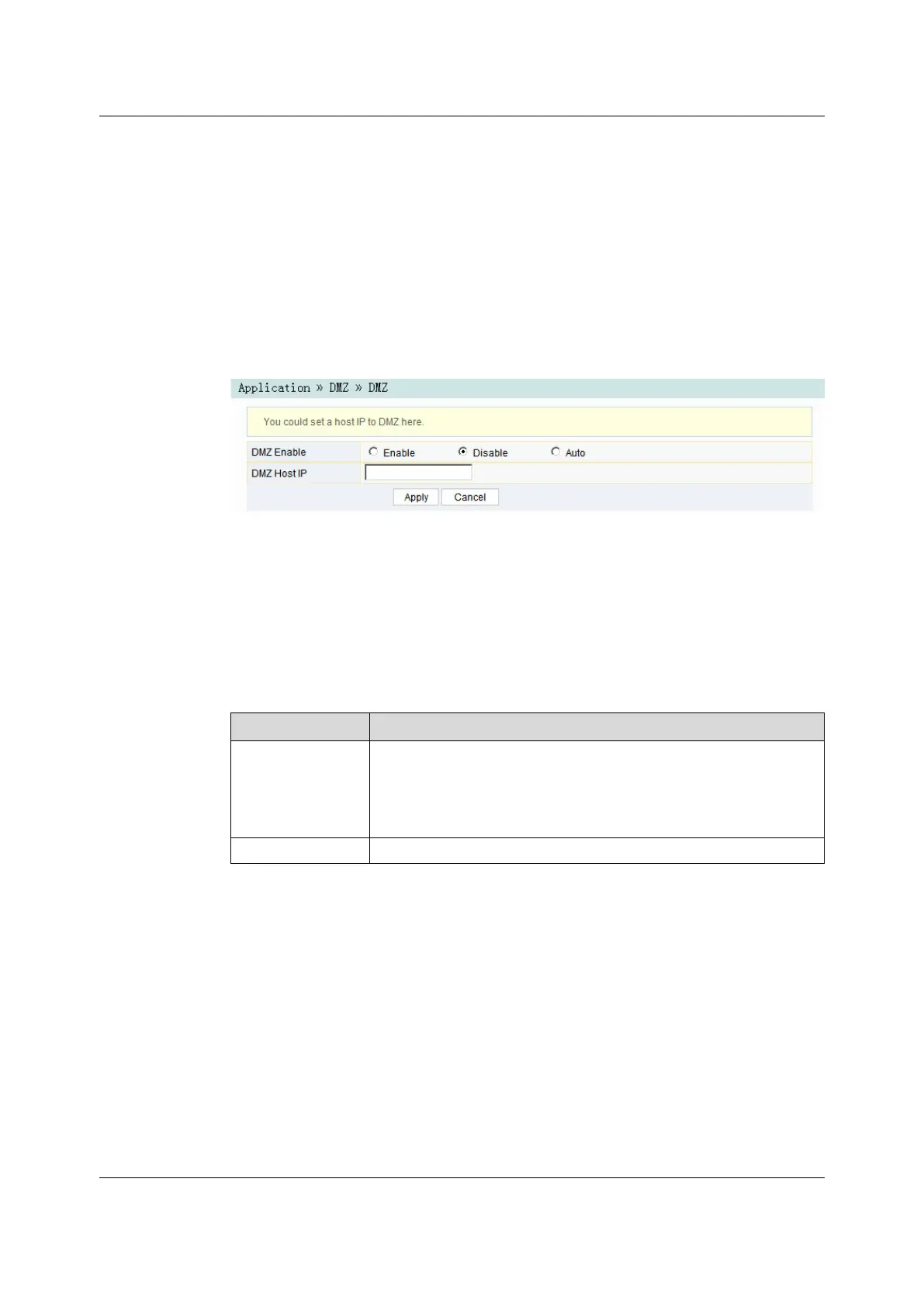
Figure 3-44 DMZ
2. Configure relevant parameters according to the requirement. For details of the
parameters, see Table 3-26.
3. Click Apply to save and apply the configuration.
Table 3-26 Parameters for DMZ Configuration
Item
Description
DMZ Enable
Enables or disables the DMZ function. The options include Enable,
Disable and Auto. If Enable is selected, the DMZ host IP address
should be set. If Auto is selected, the DMZ host uses the first IP address
allocated by DHCP.
DMZ Host IP The host IP address of the DMZ.
3.5.73.5.7 Network Diagnosis
Network diagnosis includes network diagnosis and Nat conversation.
3.5.7.13.5.7.1 Network Diagnosis
The ONT provides two network diagnosis tools.
72
Version: A

 To Next Page
 Loading...