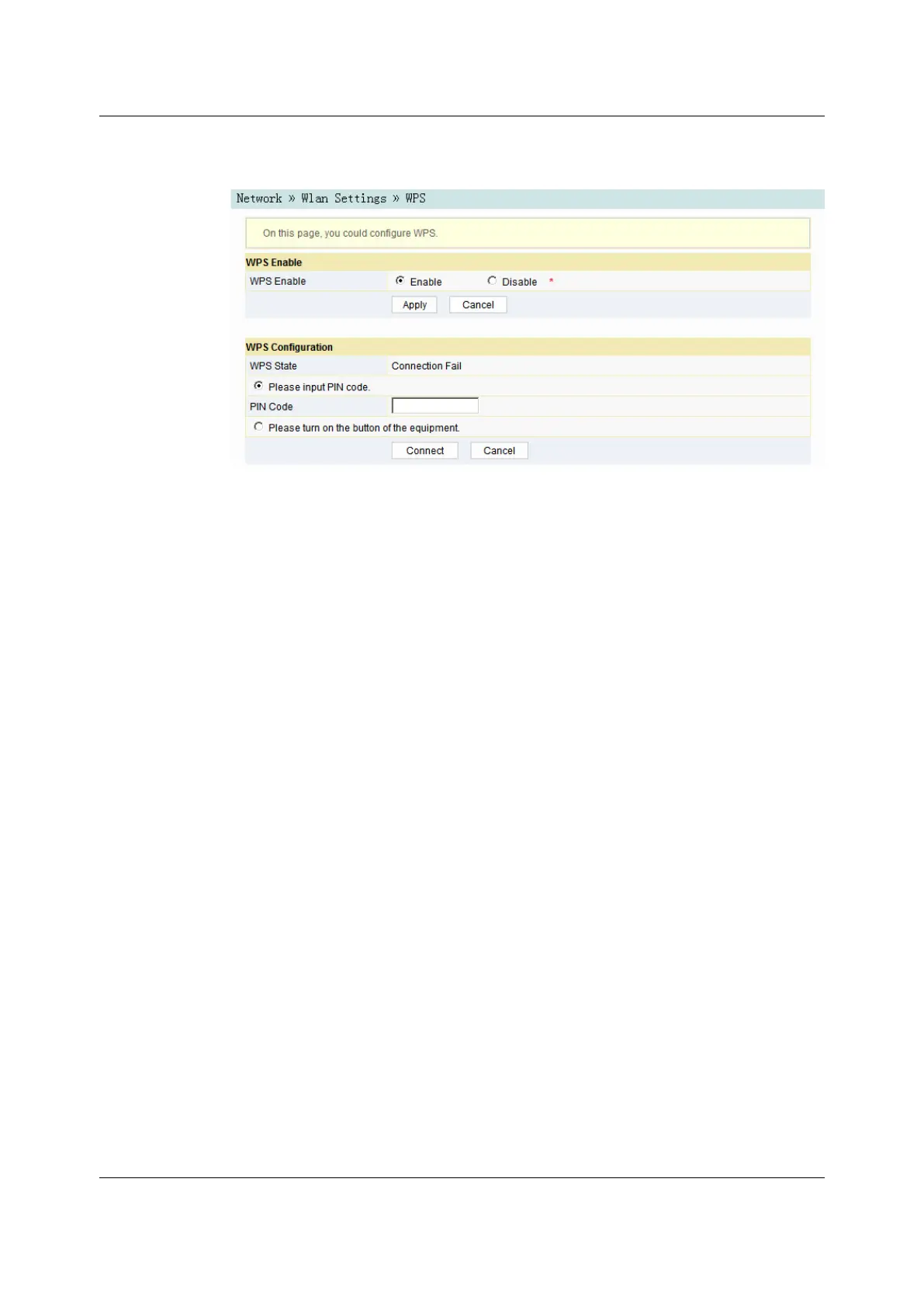
Figure 3-13 WPS Configuration
2. Select whether to enable the WPS function. The options include Enable and
Disable.
3. Select the WPS connection mode as required.
4 Select Please input PIN code., and enter the PIN code of the client end in
the PIN text box. Then click Connect.
4 Select Please turn on the button of the equipment and press down the
WPS button on the ONT. Then press down the WPS button or the WPS
software key on the client end.
4. Wait until the connection is completed.
3.3.23.3.2 LAN Settings
Configure the management IP address and subnet mask at the LAN side.
1. Select Network in the navigation bar and select LAN Settings→LAN Settings
in the left link bar to open the LAN settings page, as shown in Figure 3-14.
34
Version: A

 To Next Page
 Loading...