Basic Functions 19
Home Screen
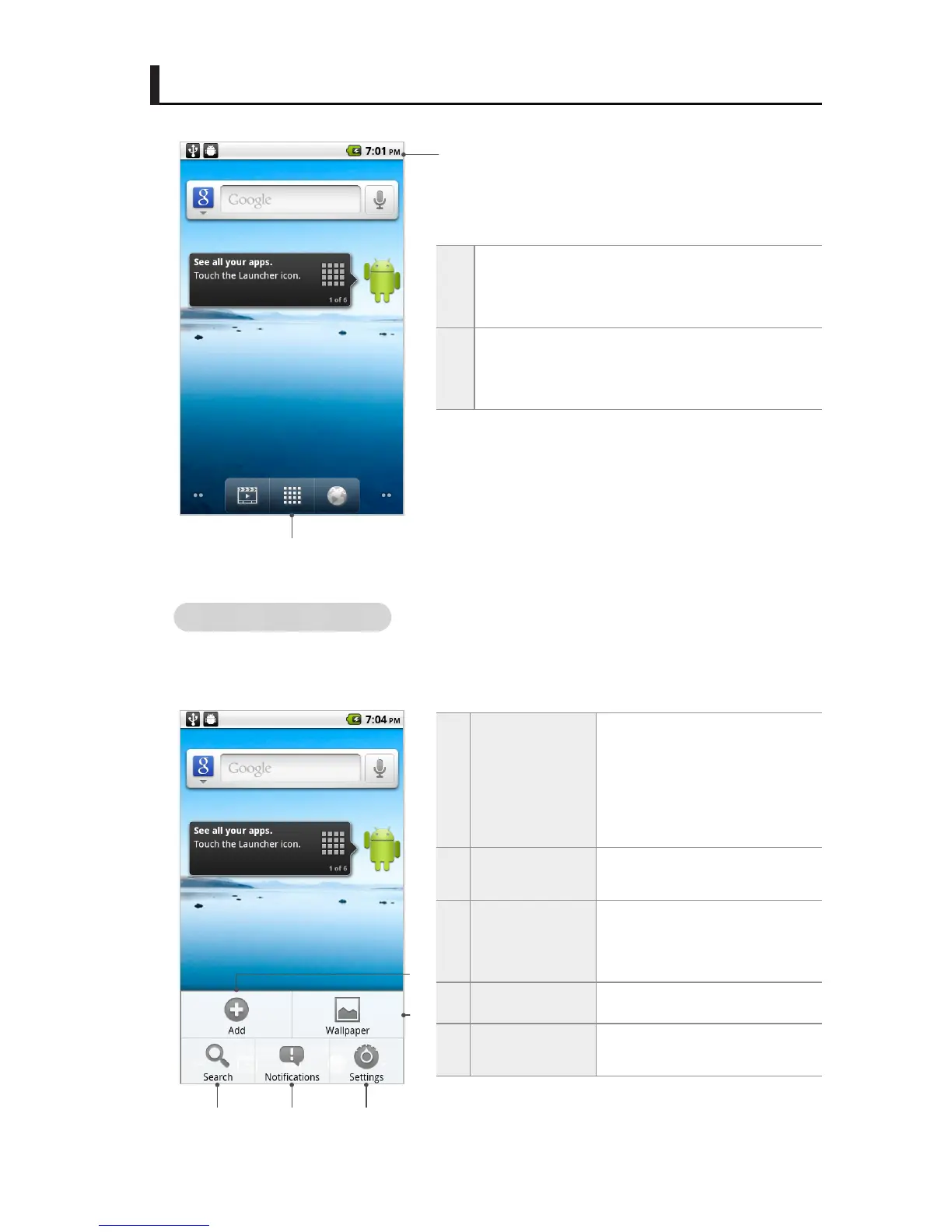
Menus on the Home screen
Tap the Menu button on the Home screen or an application screen to use various menu
functions.
1
Status bar
The status icon, the notication icon, and the
current time are displayed on the status bar.
2
Application
You can view the list of application on the main
menu screen and use them.
1
Add
Shortcuts, widgets and fold-
ers can be added. The back-
ground of the Home screen
can be changed to wallpapers
you want.
2
Wallpaper
The wallpaper for the Home
screen can be changed.
3
Search
You can search for les saved
in the menu or IDENTITY tab,
or by linking to Google.
4
Notications Notications can be viewed.
5
Settings
The setting functions can be
used.
1
2
1
2
3 4 5



 To Next Page