69
000870BG-F
5 - Installation
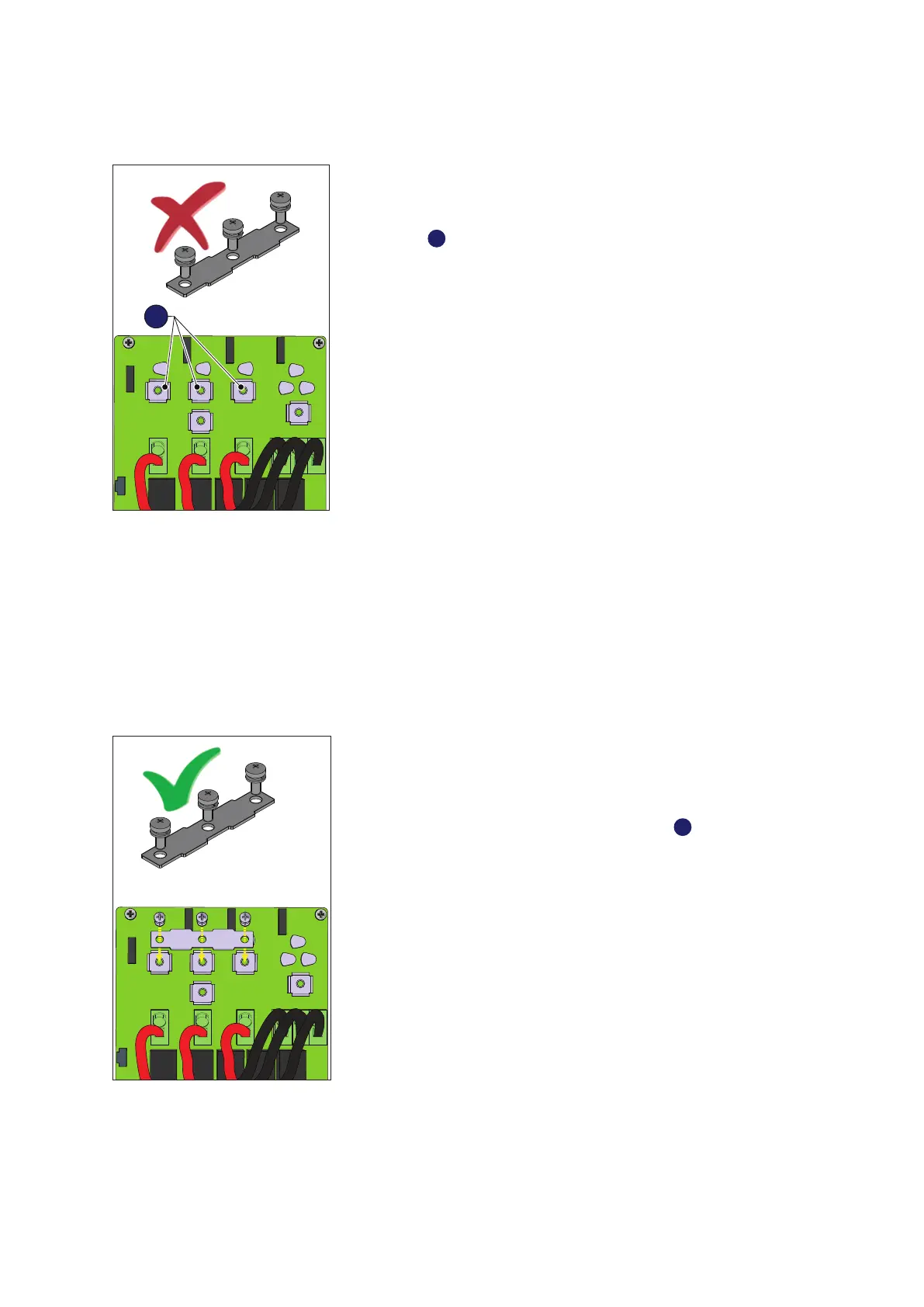
Independent channel configuration (default configuration)
In the inverter -SX and -SX2 versions, the independent conguration of
the input channels (MPPT) is set at the factory. This means that the pa-
rallel bar (supplied) must not be installed on the parallel MPPT connec-
tion points
41
, and that the software setting “Independent channel mode”
should be performed on the inverter; this setting can be done by different
way:
1. During the commissioning wizard phase (STEP 4)
2. In the dedicated section of the internal webserver “Setup section >
Setup DC side > Input mode”
3. Using the inverter display (if available) on the dedicated menu
“Inverter>Settings> Input mode”.
This conguration is not available for Standard and -S versions of the
inverter.
Parallel channel configuration
In the inverter -SX and -SX2 versions, the conguration of the input chan-
nels (MPPT) can be set in parallel. Before carrying out this congu-
ration, disconnect the strings from the inverter and open the AC
disconnector. This means that the parallel bar (supplied) must be in-
stalled on the parallel MPPT connection points
41
, and that the software
setting “parallel channel mode” should be performed on the inverter; this
setting can be done by different way:
1. During the commissioning wizard phase (STEP 4)
2. In the dedicated section of the internal webserver “Setup section >
Setup DC side > Input mode”
3. Using the inverter display (if available) on the dedicated menu
“Inverter>Settings> Input mode”.


 To Next Page