EasyManua.ls Logo

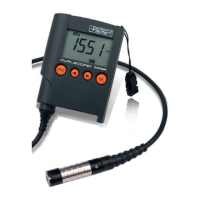
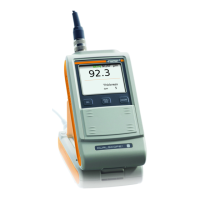
FISCHER DUALSCOPE MP0R USB - User Manual

FISCHER DUALSCOPE MP0R USB
46 pages
Print Icon
To Next Page IconTo Next Page
Loading...
Operator’s Manual for the Coating Thickness
Measuring Instrument
DUALSCOPE
®
MP0R USB
DUALSCOPE
®
MP0RH USB
DUALSCOPE
®
MP0R-FP USB
DUALSCOPE
®
MP0RH-FP USB
ISOSCOPE
®
MP0R USB
and variants
DKD-K-33101

Questions and Answers

  • L
    Lori RobinsonAug 15, 2025
    What to do if FISCHER Measuring Instruments show error Er6?
    • S
      sean57Aug 15, 2025
      If the FISCHER Measuring Instruments display error Er6, it means the coating is too thick. You should perform measurements on a specimen with a coating thickness that the instrument can measure, ensuring you perform the measurements correctly.
  • T
    tponceAug 18, 2025
    What to do if FISCHER DUALSCOPE MP0R USB show error Er5?
    • S
      Shawn MosleyAug 18, 2025
      If your FISCHER Measuring Instruments show error Er5, you should perform calibration on coating using a suitable calibration standard. The selected calibration standard should have at least 50% of the coating thickness of the coated specimen.
  • R
    Roger BrownAug 21, 2025
    What to do if FISCHER DUALSCOPE MP0R USB show error Er1?
    • L
      Leah WashingtonAug 21, 2025
      If your FISCHER Measuring Instruments display error Er1, perform a normalization. If the error occurs repeatedly, call the Fischer service department.
  • V
    Victoria DayAug 25, 2025
    What to do if FISCHER DUALSCOPE MP0R USB show error Er7?
    • L
      Lisa HaynesAug 25, 2025
      If your FISCHER Measuring Instruments display error Er7, delete the memory and perform a new test series. Repeat normalization or calibration correctly.
  • J
    jandersonAug 27, 2025
    Why does my FISCHER DUALSCOPE MP0R USB show error Er13?
    • R
      Robert MasseyAug 27, 2025
      If your FISCHER Measuring Instruments display error Er13, it indicates that you used the wrong calibration standards. Use correct calibration standards and inform customer service.
  • E
    Edward DavisAug 30, 2025
    What to do if FISCHER DUALSCOPE MP0R USB show error Er4?
    • S
      saundersrichardAug 30, 2025
      If your FISCHER Measuring Instruments display error Er4, you should delete the data memory.
  • D
    Donna JordanSep 2, 2025
    What to do if FISCHER Measuring Instruments show error Er12?
    • J
      Jessica WallaceSep 2, 2025
      If your FISCHER Measuring Instruments display error Er12, repeat the calibration in the correct sequence.
  • S
    samantha57Sep 5, 2025
    What to do if FISCHER DUALSCOPE MP0R USB show error Er14?
    • J
      Justin MooreSep 5, 2025
      If your FISCHER Measuring Instruments display error Er14, repeat master calibration. If this error occurs repeatedly: Contact customer service.
  • M
    Melissa JohnsonSep 8, 2025
    What to do if FISCHER DUALSCOPE MP0R USB show error Er17?
    • S
      Susan MaciasSep 8, 2025
      If your FISCHER Measuring Instruments display error Er17, make additional measurements until the first block can be finished. Then generate a new final result.
  • S
    stacy88Sep 12, 2025
    What to do if FISCHER DUALSCOPE MP0R USB show error Er29?
    • A
      amy55Sep 12, 2025
      If your FISCHER Measuring Instruments display error Er29, set the function free again in service menu 1.

Summary

Switching the Instrument ON;OFF

Switching FP Instrument Models ON;OFF

Measurements on Coating Material

Deleting Measurements

Normalizing the Instrument

Calibration Procedures

Deleting Calibration; Restoring Baseline

Setting Specification Limits

Deleting Specification Limits

Service Menus

Trouble Shooting

Er1 Internal Error

Perform normalization. If persistent, call Fischer service.

Er4 Overflow of the Data Memory

Delete the data memory.

Er5 Cannot Determine Value for Substrate Material

Perform calibration on coating using suitable standard.

Er6 Reading Cannot Be Displayed

Check measuring range, thickness, or normalization/calibration.

Er7 Outlier Measurement

Delete memory, perform new series. Repeat normalization/calibration correctly.

Er12 Measurement Error on Calibration

Perform normalization correctly, replace standard, check placement/sequence.

Er13 Readings Out of Range

Inform customer service. Use correct calibration standards.

Er14 Normalization by Mistake

Perform normalization on uncoated specimen. Repeat master calibration.

Er15 Internal Instrument Error

Contact customer service. Probe may be defective.

Er17 Not Enough Readings

Make additional measurements. Ensure STD1 measured sufficiently for calibration.

FISCHER DUALSCOPE MP0R USB Specifications

General IconGeneral
BrandFISCHER
ModelDUALSCOPE MP0R USB
CategoryMeasuring Instruments
LanguageEnglish

Related product manuals