Note See the serial tag on the side of the unit for electrical specifications,
or refer to the electrical schematics in this manual.
s
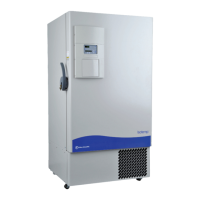
The freezer should be operated on a dedicated grounded service. Check the
voltage rating on the serial tag of the unit and compare it with the outlet
voltage. Then, with the power switch turned off, plug the line cord into
the wall outlet.
First, turn on the freezer power switch. Then open the lower front door by
grasping the bottom left corner. Locate the battery switch (Figure 1-5) and
turn it to Standby mode ( ). During initial freezer start-up, the system
battery may require charging and the Low Battery indicator may
illuminate.
Caution Ensure the battery switch is turned to Standby mode ( ). The
rechargeable batteries require 36 hours to charge at initial start-up. A “Low
Battery” alarm may occur until the batteries are fully charged. Should a
power failure occur during the initial start-up period, the electronics will
have limited operation.
s
With the freezer properly installed and connected to power, system set
points can be entered. The following set points can be entered in Settings
mode: control temperature, high temperature alarm set point, low
temperature alarm set point, and (optional) BUS set point. Default settings
are shown in the table below.
Caution If the set point is changed and the low temperature and high
temperature alarms are set 10° from the set point, the alarm set points will
adjust automatically to maintain a distance of at least 10° from set point.
s
1-6 Isotemp Basic Fisher Scientific
Section 1
Installation and Start-Up
Connect the Unit to
Electrical Power
Freezer Start-Up
Control Set Point -80°C
High Temperature Alarm -70°C
Low temperature alarm -90°C
Optional BUS Set Point -60°C



 To Next Page