Isotemp Basic 4-1Fisher Scientific
Section 4 Maintenance
Warning If the unit has been in service, turn it off and disconnect the
power cord connector before proceeding with any maintenance.
s
Warning Avoid the excessive use of water around the control area due to
the risk of electrical shock. Damage to the controls may also result.
s
Wipe down the freezer exterior using soap and water and a general use
laboratory disinfectant. Rinse thoroughly with clean water and dry with a
soft cloth.
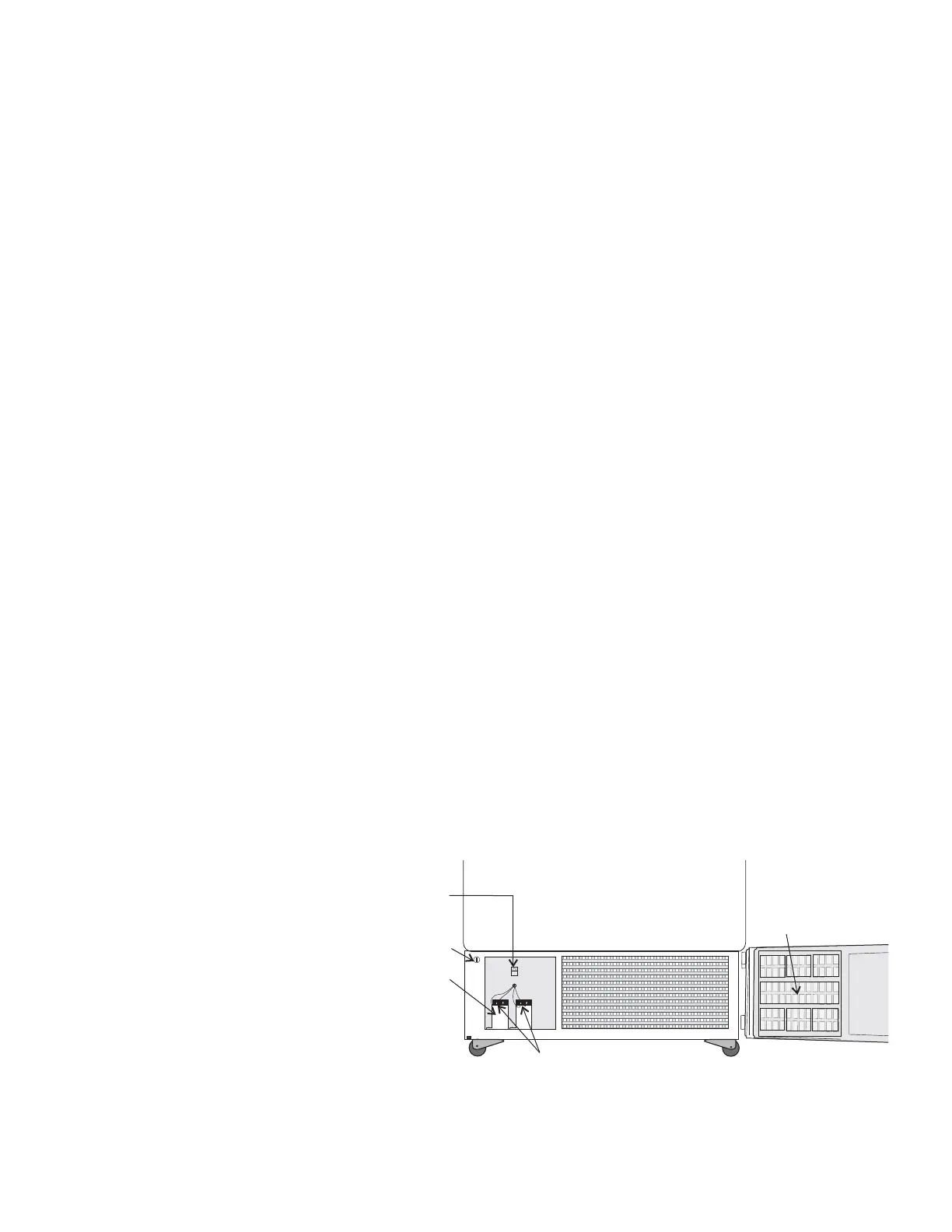
1. Open the front lower door by grasping the bottom left corner.
2. Locate the grille on the door. See Figure 4-1. Grasp the middle of the
filter material behind the grille and gently pull out to remove.
3. Wash the filter material using water and a mild detergent.
4. Dry by pressing between two towels.
5. Install the filter back into the grille and close the door.
Depending upon environmental conditions, the filter may need to be
cleaned or replaced more frequently. If the filter becomes torn or
excessively dirty, a replacement can be purchased from Fisher. See the
exploded parts drawings for filter part number. A filter kit (set of 5) is also
available.
Clean the Air Filter
(minimum 4 x per year)



 To Next Page