Warning When activated, this unit injects liquid nitrogen or carbon
dioxide. Liquid nitrogen can cause serious freezing (frostbite) if it comes in
contact with unprotected skin or eyes. Nitrogen suppresses oxygen levels
and may cause suffocation if area is not well ventilated. Refer to Appendix
A for the proper handling of liquid LN
2. s
Caution Make sure the pressure relief valve on any LN2 tank is adjusted to
30 PSI maximum blow-off.
s
Warning Carbon dioxide gas suppresses oxygen levels and may cause
suffocation if area is not well ventilated. Refer to “Handling Liquid CO
2”
in Appendix B of this manual.
s
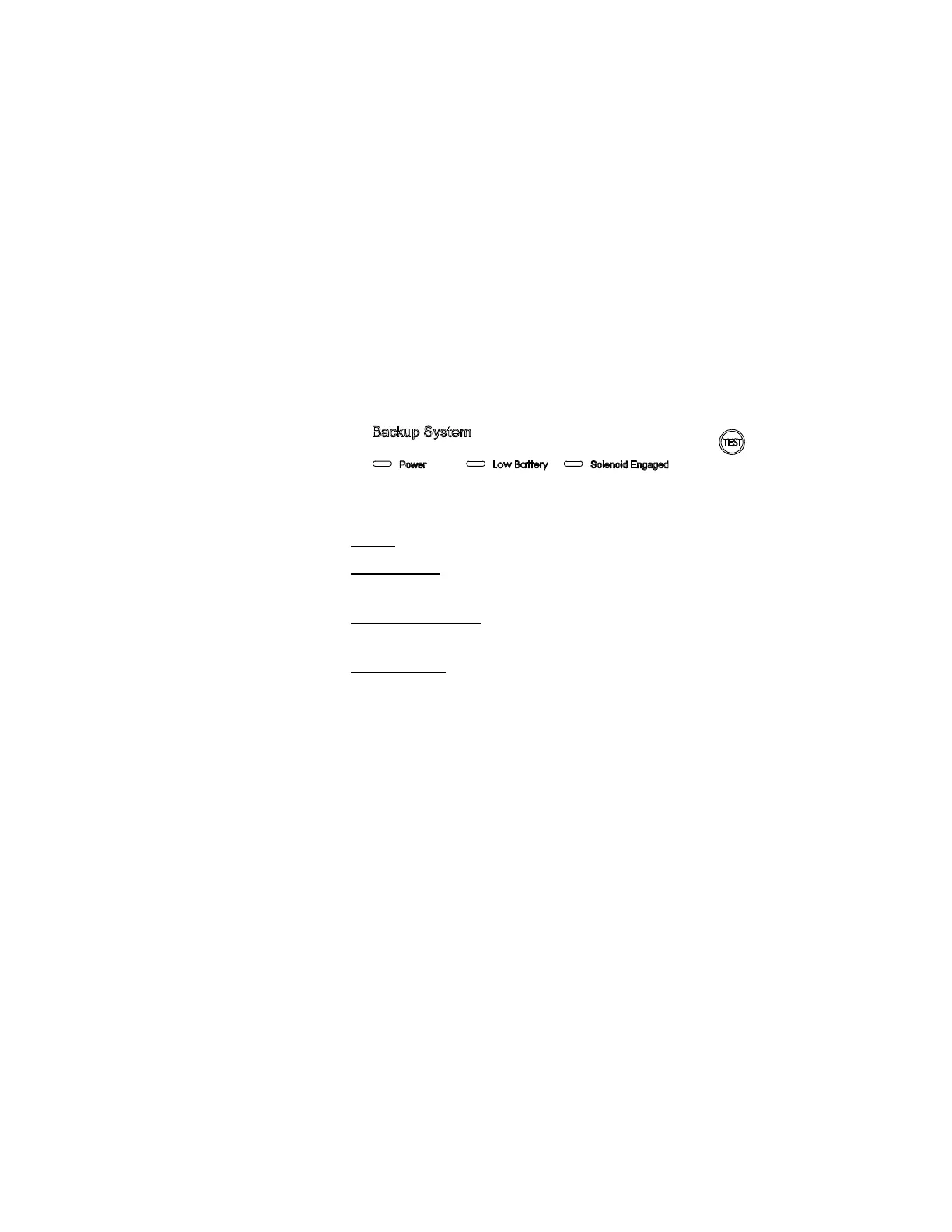
Power - indicates the unit has AC power.
Low Battery
- battery charge is low. The battery needs replaced or
recharged.
Solenoid Engaged
- BUS has opened the solenoid so it can inject gas (CO2
or LN2).
Press-To-Test
- Activates the solenoid and injects LN2 or CO2 into the
freezer chamber as long as the button is depressed. The solenoid engaged
indicator should light. If the Low Battery indicator lights during the test,
replace the BUS battery.
Note Solenoid will not engage if door is open.
s
The optional BUS can be configured for LN2 or CO2 supply. To select the
supply type:
1. Press the Mode key until the Backup indicator lights.
2. Press the up or down arrow key. The display will show ‘cO2’ for CO
2
selection and ‘Ln2’ for LN2 selection.
3. Press Enter to save the setting.
4. Press the Mode key until the Run indicator lights for Run mode.
If no control keys are pressed, the freezer will automatically return to Run
mode after 5 minutes.
Isotemp Basic 5-5Fisher Scientific
Section 5
Factory Options
BUS Control Panel
Figure 5-6. BUS Control Panel
Configure the Optional
BUS (Back-Up System)
BUS Operation and
Maintenance



 To Next Page