INSTRUCTION MANUAL FIT REMOTE DISPLAY PINION
6.3 ESHIFT
You can select the gear shift manually with the up / down button.
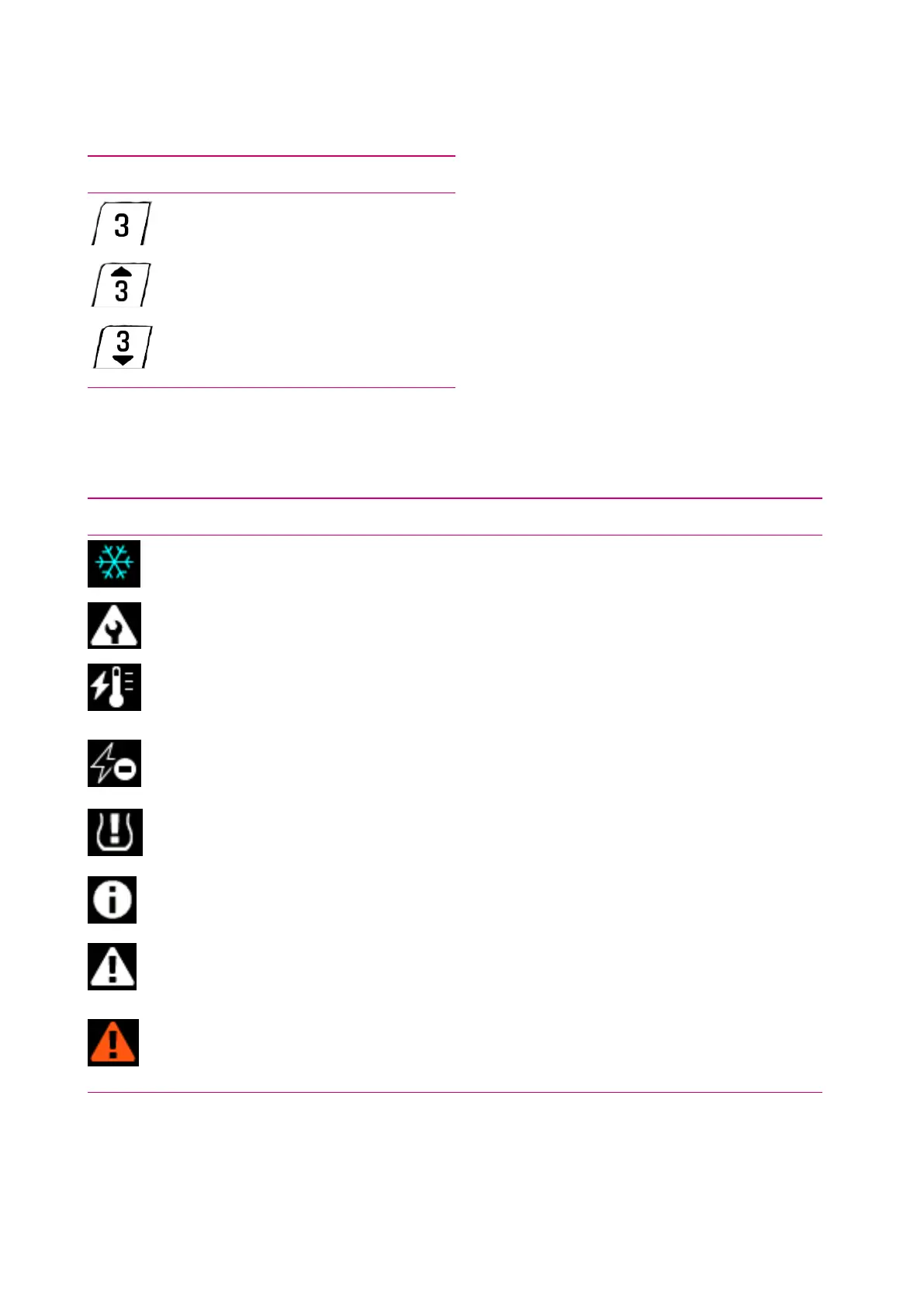
Symbol Description
Current selected speed
Gear recommendation – change up a
gear
Gear recommendation – change down a
gear
6.4 WARNING / ERROR SYMBOLS
Symbol Meaning Action / Limitation
Ice hazard
(temperature ≤ 4 °C)
Drive carefully.
Maintenance request
Your e-bike should be taken to the FIT specialist dealer for
maintenance as soon as possible.
Motor overheat
Reduced ride assistance performance. (This is not an error, but is
meant to protect the motor.)
Battery protection
mode (battery level
and / or temperature
too low)
Reduced ride assistance performance. (This is not an error, but is
meant to protect the battery.)
Low tire pressure
Check and adjust the tire pressure if necessary. (This function is only
available with optional tire pressure sensors.)
Info
Motor assistance available
The message can be acknowledged by pressing the rocker switch.
(For more information, see section 8.3.1)
Warning
Motor assistance available
The message can be acknowledged by pressing the rocker switch.
(For more information, see section 8.3.1)
Error / Critical error
No motor assistance
Motor assistance is only available once the error has been rectified
and the system has been restarted (only in the case of a critical error).
(For more information, see section 8.3.1)
6.5 SELECTION SCREEN
You can access the different main screens using the rocker switch (left / right). An overview of all main screens
is displayed each time the rocker switch is used to make operation simpler. This allows you to select the required
FIT_Manual_Remote_Display_Pinion_V3_en | Version 03 | 24.10.2023 15



 To Next Page