INSTRUCTION MANUAL FIT REMOTE DISPLAY PINION
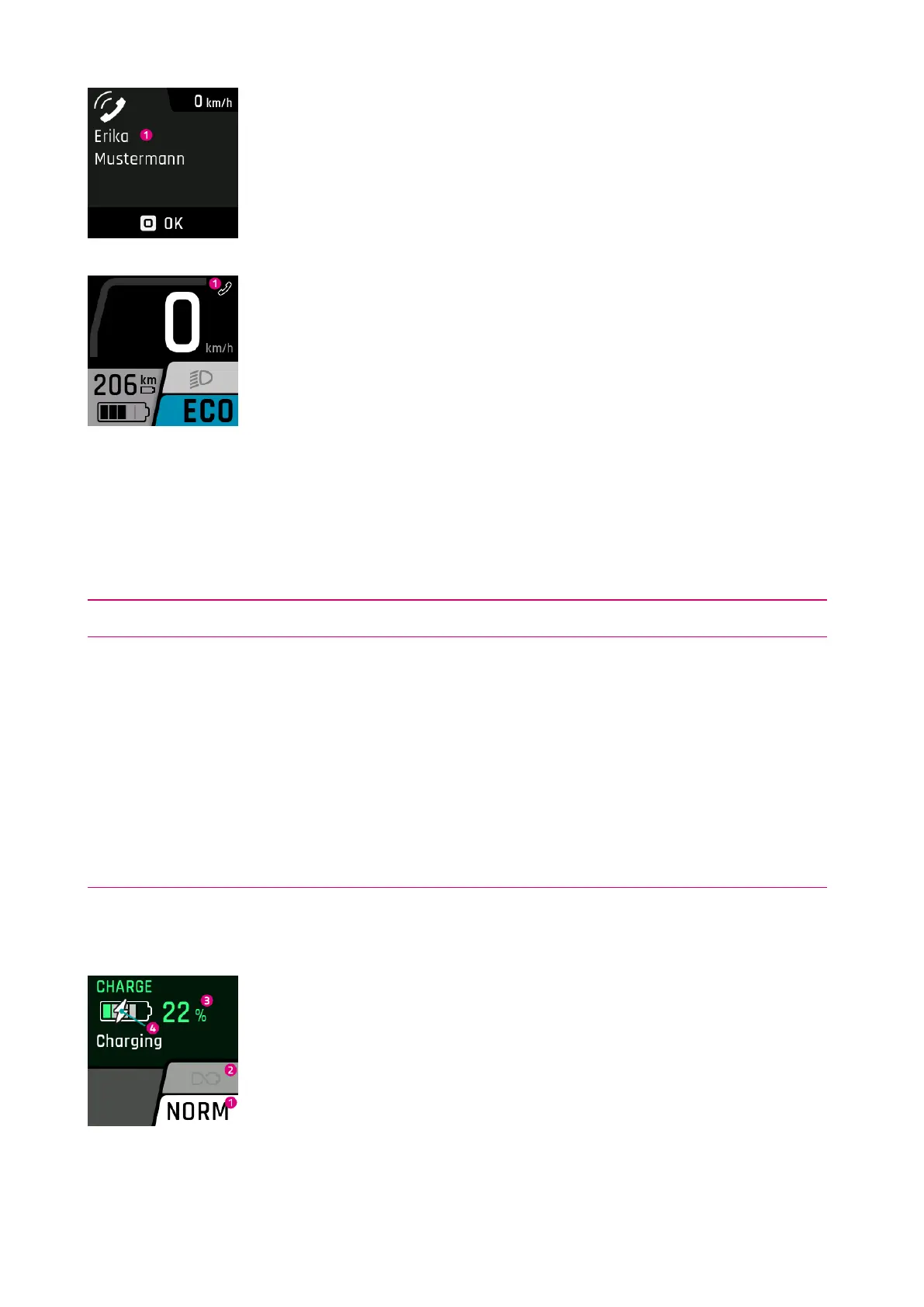
1. Name of the caller (taken over by the connected smartphone).
Only the most common special characters can be displayed. Unrepresentable characters
and emoticons are replaced by a question mark (?) on the display.
1. Incoming call icon.
If the call display is acknowledged by pressing the select rocker switch, the caller’s name
disappears. The icon remains as long as the smartphone displays an incoming call.
6.7 CHARGE INDICATOR
Menu – Charge
The charge indicator appears as soon as the charger is connected to the e-bike. Use the plus / minus button to
select the charging mode (NORM, FAST, STORE) and save it by pressing the rocker switch. The Long Life mode can be
switched on or off with the light button.
Charging mode Description
NORM (Normal) Normal charging
FAST (Fast) Fast charging
STORE (Storage)
Storage mode
If the battery is not going to be used for an extended period of time, we recommend
storage mode «Storage» and an optimum storage temperature between 5 and 15°C. In
Storage mode, the battery is charged to about 60 % which allows the battery to bridge
the time until it is reused as gently as possible.
Long Life
Slightly less capacity is available if the battery is used in LONG LIFE mode. On the other
hand, the battery retains its capacity for longer. The LONG LIFE mode is available for
both normal and fast charging. In LONG LIFE mode, the battery is charged to about
80 %.
NORMAL CHARGING OF SINGLE BATTERY
1. Current charging mode
2. Long Life mode (grayed out = switched off)
3. Current battery charge level
4. Shows battery is currently being charged
FIT_Manual_Remote_Display_Pinion_V3_en | Version 03 | 24.10.2023 23



 To Next Page