INSTRUCTION MANUAL FIT REMOTE DISPLAY PINION
6.6.1 NAVIGATION
Navigation is only available in conjunction with the FIT E-Bike Control app. To use the FIT E-Bike Control app, the
smartphone must be connected to the e-bike using the FIT Key Card (see section 6.1.2).
There are two types of navigation available:
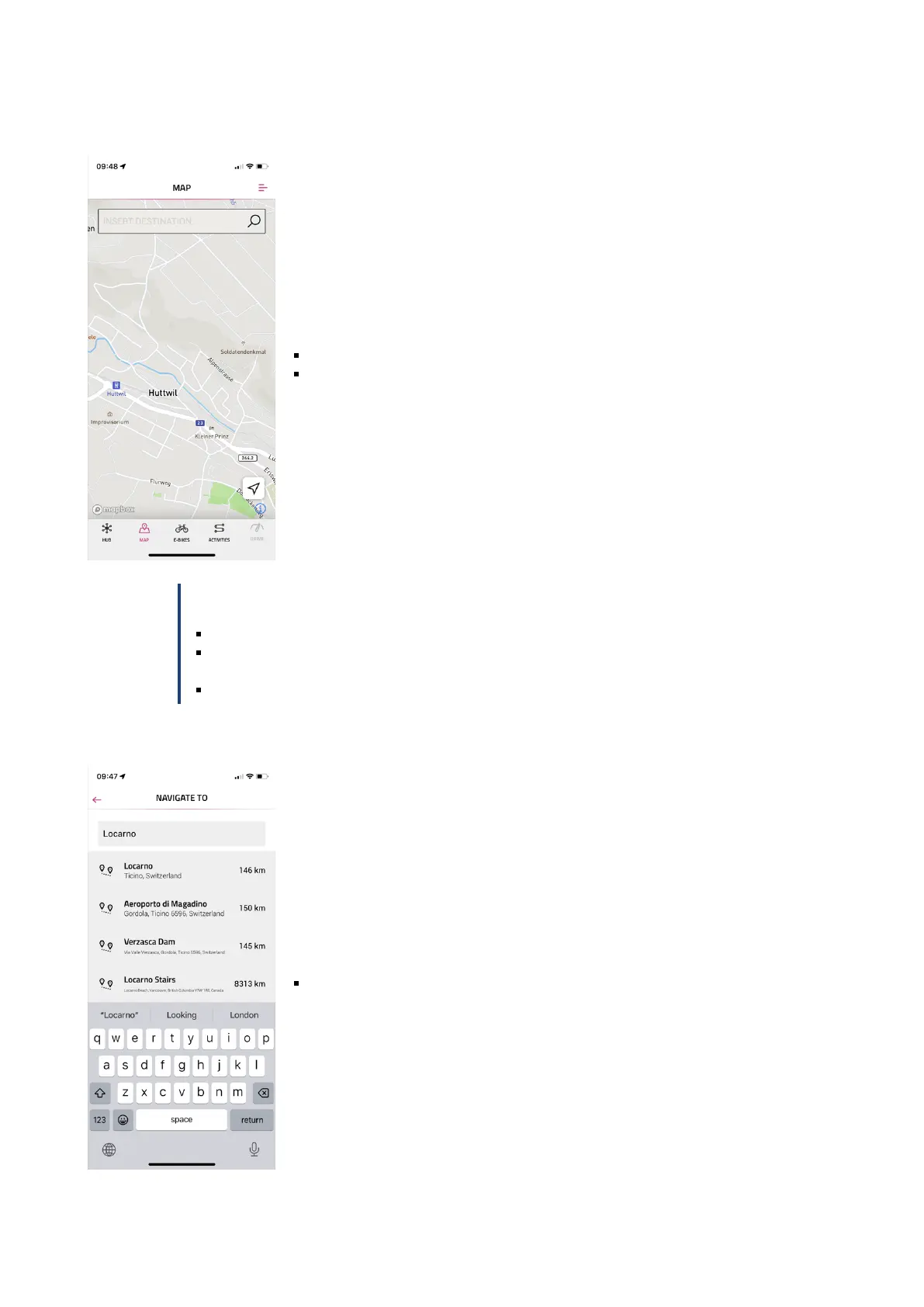
MAP: Direct destination entry and navigation in the FIT E-Bike Control app.
ACTIVITIES: Tour records and planned tours of the connected komoot account can
be displayed here. Navigation is available on all routes under Planned Tours.
NOTICE
To use the navigation function, you must observe the following points:
The e-bike must be switched on and connected to the smartphone.
To ensure the connection (Bluetooth) between the e-bike and the FIT E-Bike Control app, the
smartphone and e-bike must be no more than five meters apart.
The e-bike must be linked to the FIT E-Bike Control app (see section 6.1.2).
Navigate to:
Enter the desired navigation destination.
FIT_Manual_Remote_Display_Pinion_V3_en | Version 03 | 24.10.2023 19



 To Next Page