INSTRUCTION MANUAL FIT REMOTE DISPLAY PINION
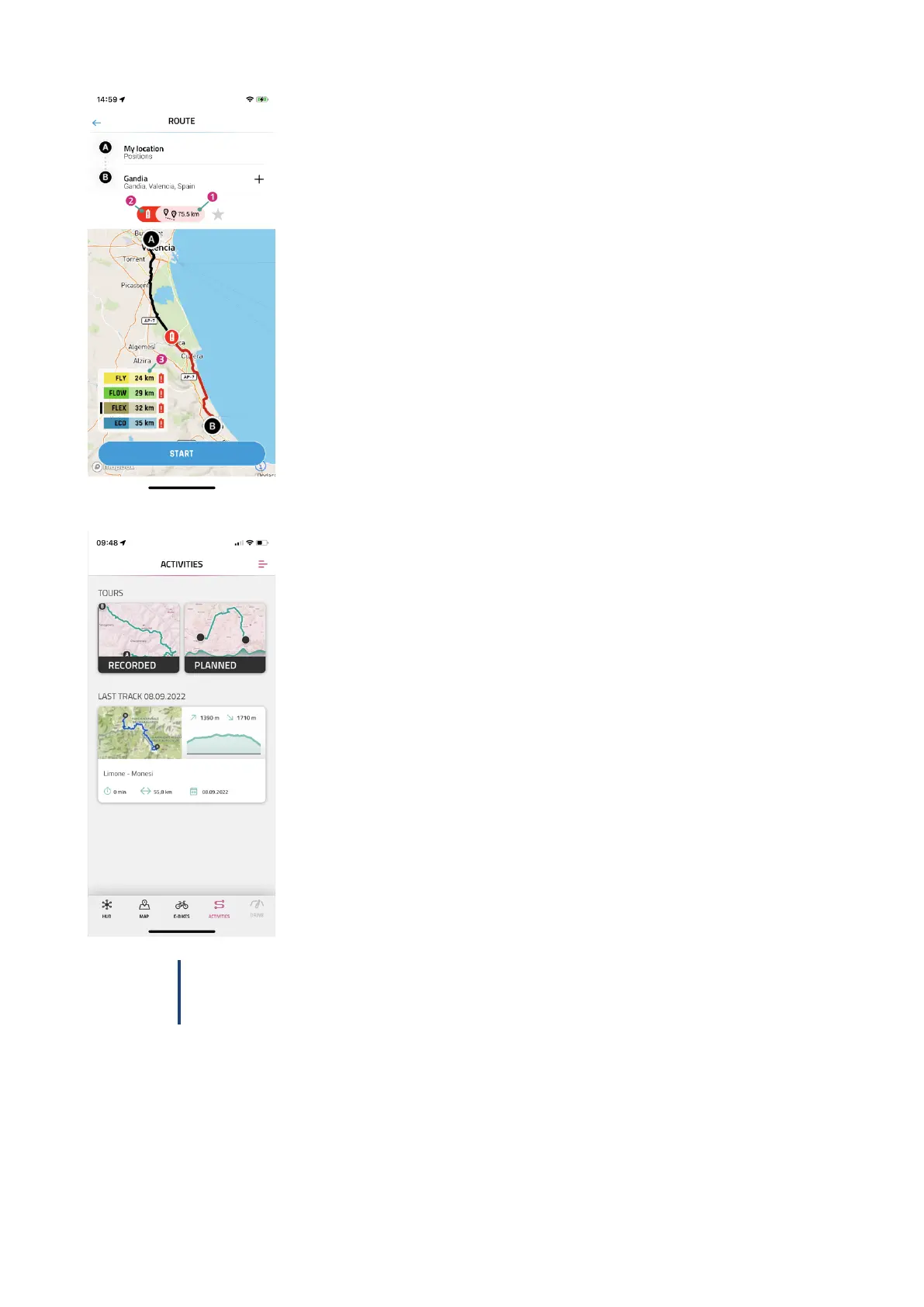
After entering the start and end point, information about the selected route is dis-
played:
1. Distance to the target.
2. The red battery symbol indicates that the current charging status is not sufficient
to reach the destination in any assistance level.
3. Current range in the various assistance levels (the black bar shows the assistance
level currently selected on the e-bike).
Navigation can be started with START.
In the ACTIVITIES menu, you can choose between recorded and planned tours from
the linked komoot account.
The last route is also available as a speed dial.
NOTICE
After linking your komoot account for the first time, it will take a while for all planned tours to be
synchronized.
FIT_Manual_Remote_Display_Pinion_V3_en | Version 03 | 24.10.2023 20



 To Next Page