INSTRUCTION MANUAL FIT REMOTE DISPLAY PINION
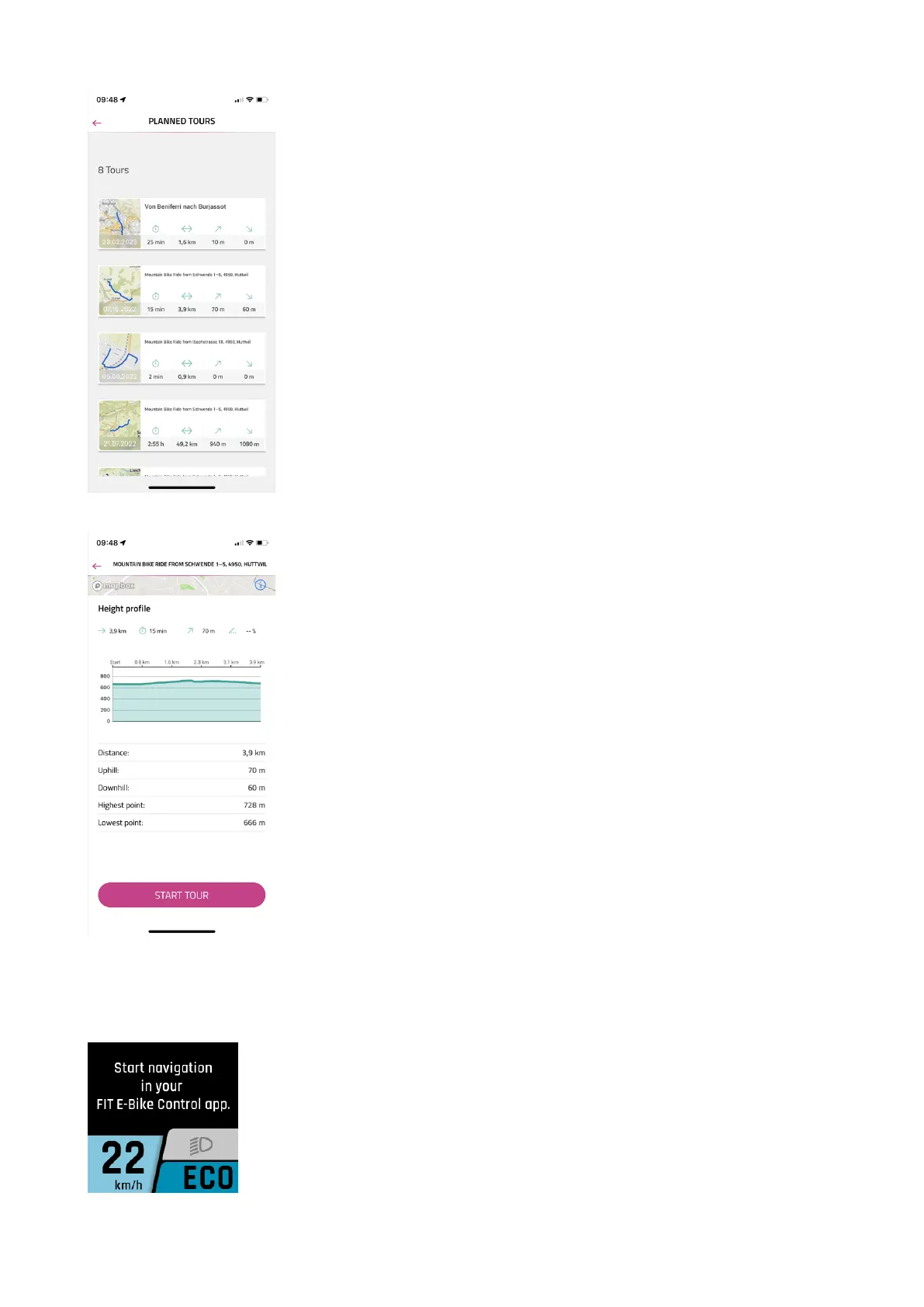
The PLANNED TOURS menu displays the planned tours of the linked komoot account
with information on duration, route length, highest and lowest points.
Here you can select a tour for navigation.
After selecting a tour, the details of the tour are displayed again in detail. Navigation
can be started using START TOUR.
NAVI MAIN DISPLAY
If navigation on the smartphone has not been started, the following message appears.
FIT_Manual_Remote_Display_Pinion_V3_en | Version 03 | 24.10.2023 21



 To Next Page