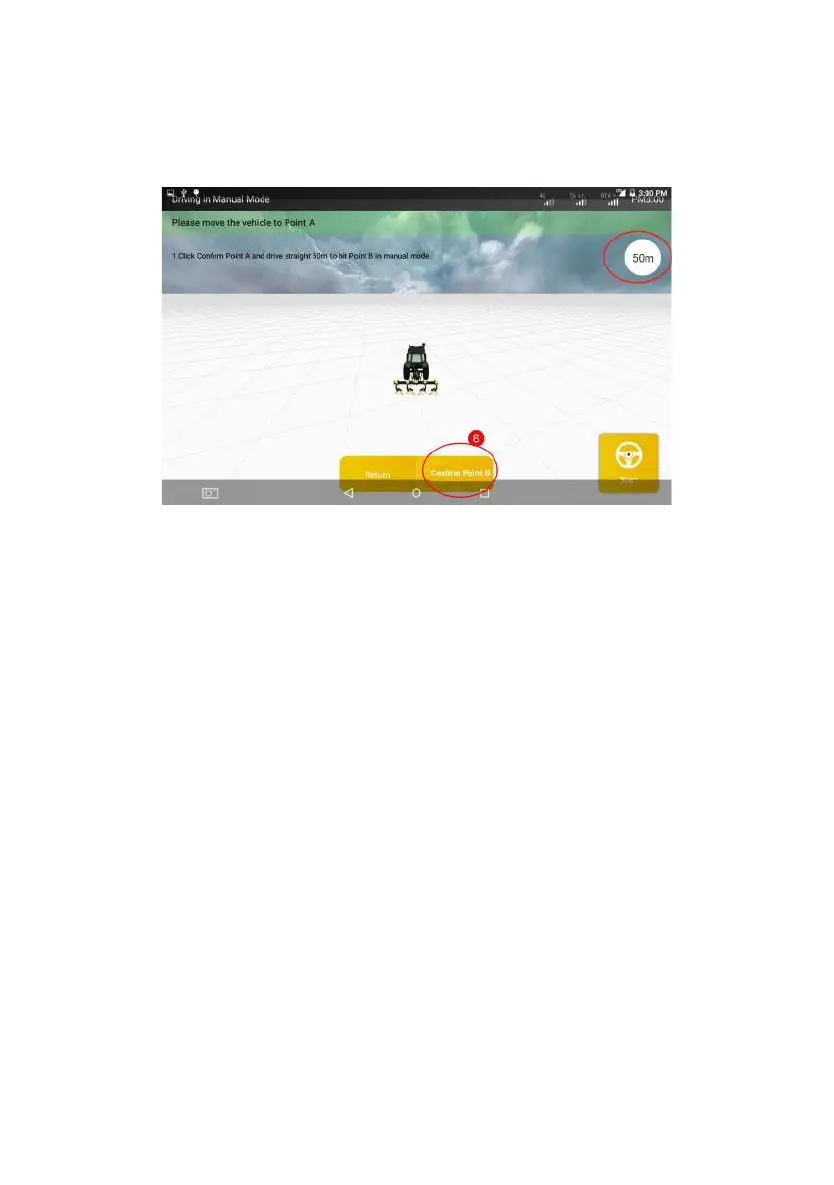
and Comfirm Point B.
Figure 3.2.32 Confirm Point B
During the driving towards Point B, the distance traveled will be displayed on
the upper right corner of the screen in real time. You can check whether the
current distance from Point A meets the distance requirement of 50m based on
this value.
Step 6: After confirming Point B, please follow the instructions in Step 3 on
the screen to manually turn the vehicle around and make it return to Point B on
the guidance line just confirmed (with the front end of the vehicle facing Point A).
After the adjustment is completed, tap Start to make the vehicle run to Point A in
the auto steering driving mode according to the guidance line just confirmed.
©FJ Dynamics Technology Co., Ltd. All rights reserved.



 To Next Page