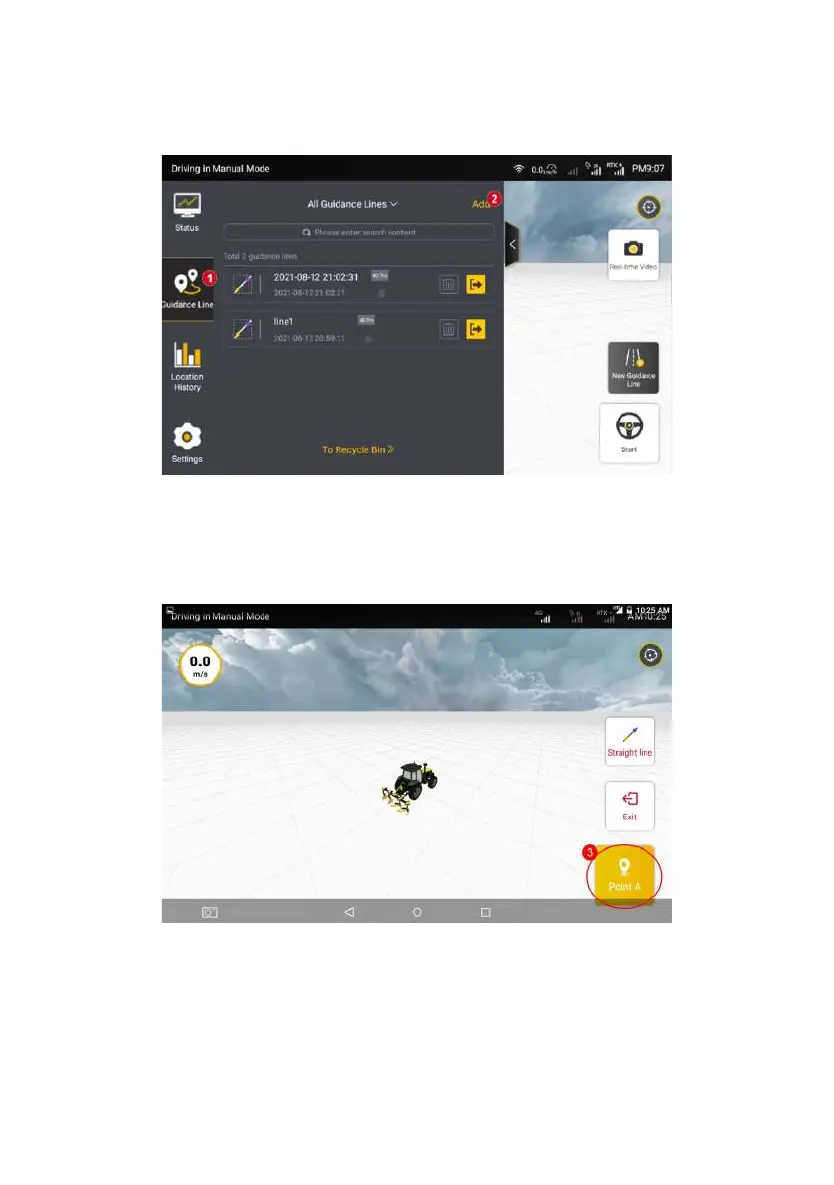
Figure 3.3.5 Guidance Line List
Step 2: Move the vehicle to the starting point of the operation, and tap
Confirm Point A on the screen of control terminal to determine the current
position as Point A of the new guidance line. After confirming Point A, manually
drive the vehicle straight for 15–20 m.
Figure 3.3.6 Confirming Point A
Step 3: Brake the vehicle and tap Confirm Point B on the screen of the in-
vehicle control terminal to determine the current position as Point B on the
guidance line.
©FJ Dynamics Technology Co., Ltd. All rights reserved.



 To Next Page