PowerFLARM Manual Version 1.0
Normal Operation
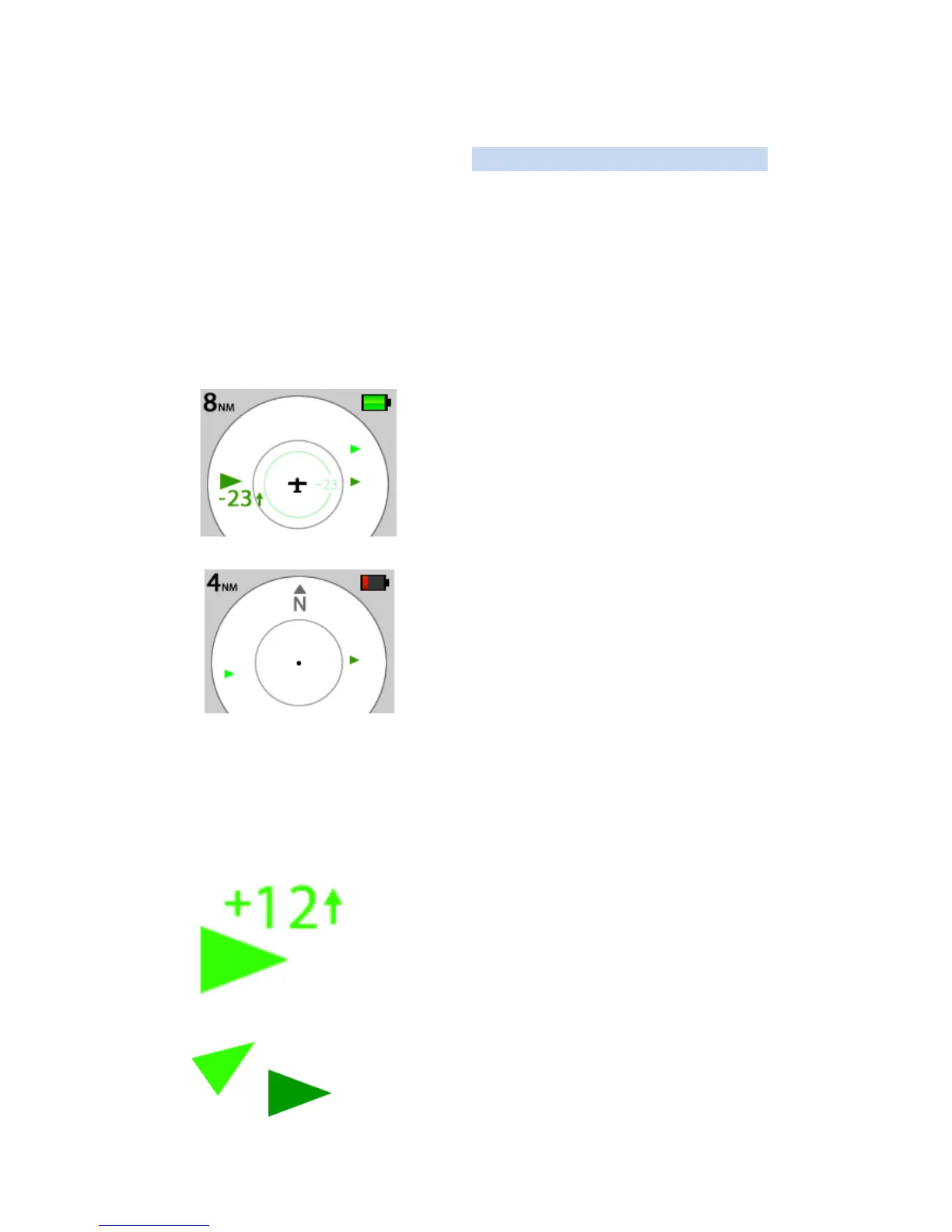
In normal operation the PowerFLARM shows signals received
from other FLARM®- or ADS-B targets on a radar-like display.
The user can select different zoom levels by turning the button.
In normal operation, other aircraft are displayed in green.
Different symbols are used to denote different conditions.
Aircraft in the vicinity are displayed
as green arrows of different size. The
nearest aircraft not equipped with
ADS-B or FLARM is indicated as a
light green circle.
When on the ground, the radar
screen will operate provided there is
adequate GPS reception. The
screen image is always oriented to
the north, symbolised in the screen
by an 'N'.
Large arrow with height information: the
large arrow always indicates the nearest
aircraft and its relative height in steps of 100
ft, together with climb/descent information.
The arrow indicates the direction in which
the target aircraft is flying above ground. For
example: 2300ft lower, flying from left to
right in a climb.
Small arrow: like the large arrow, the small
arrow gives the flight direction over ground.
A dark arrow indicates the other aircraft is at



 To Next Page