Finder User Guide | www.flashforge.com 0086-0579-82273989
34
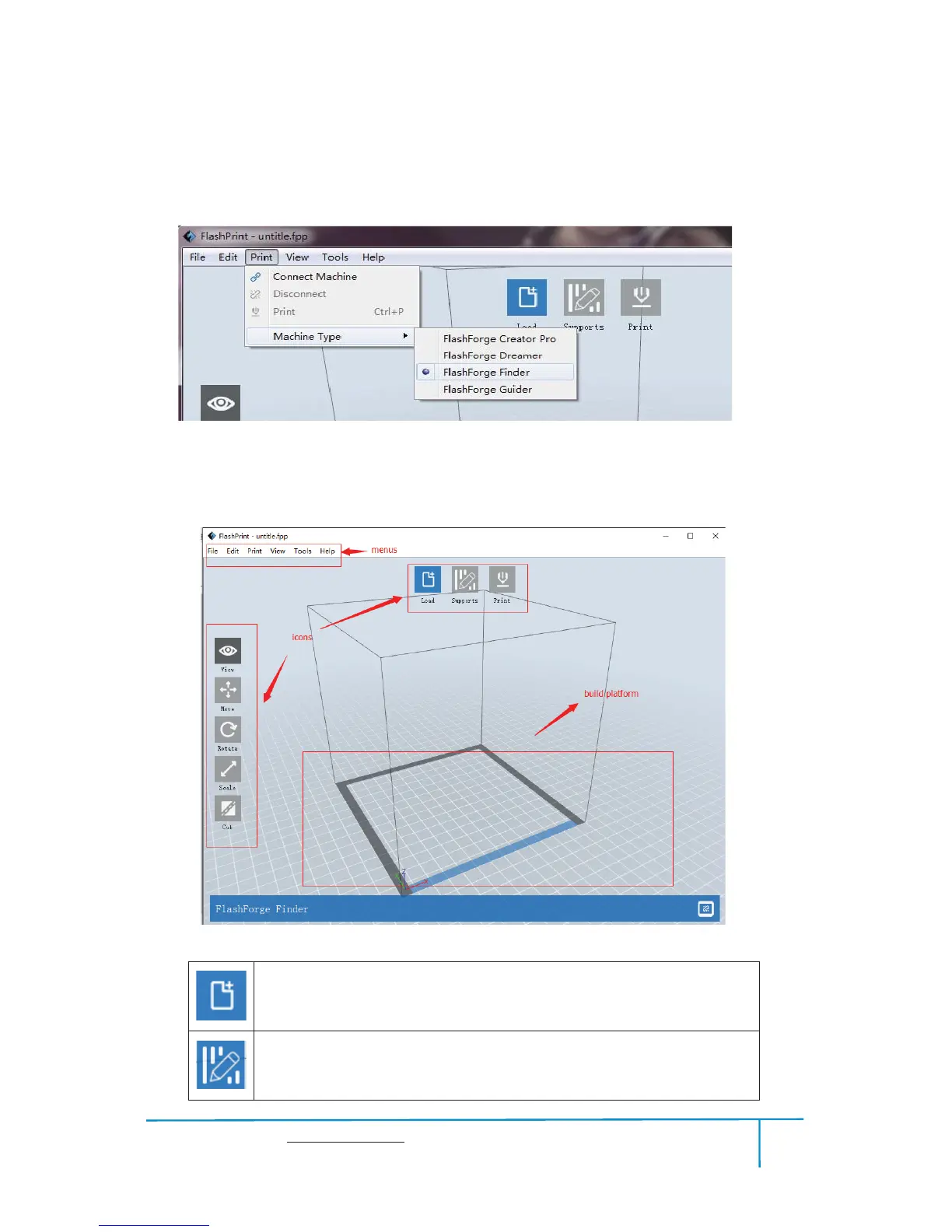
When you start FlashPrint, a dialog box will pop up. Just select Flashforge Finder in
the machine type list and click
[OK]. You can also change the machine type via
clicking
[Print]--[Machine type]. See graphic 6-2:
62
6.2.2 Software Introduction
Loadoneormultiplefiles.
Enterthesupporteditmode
63















 To Next Page