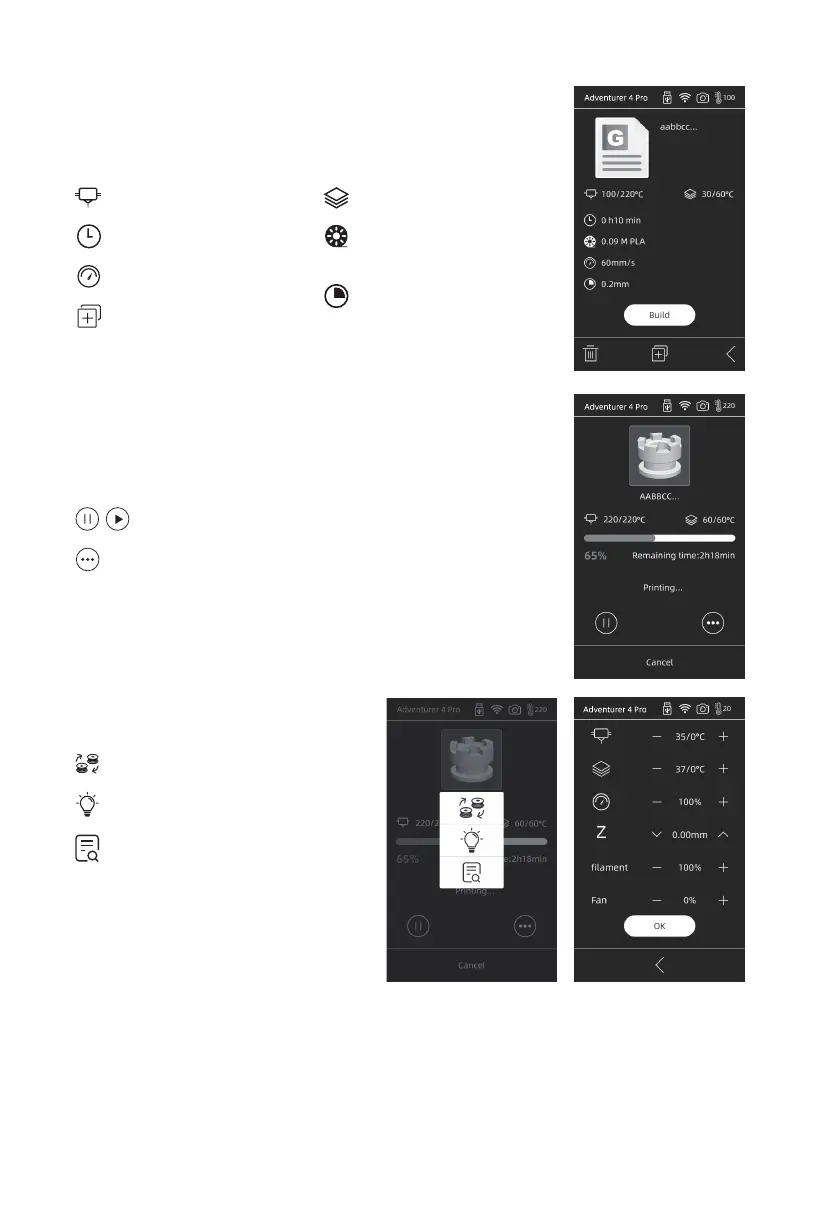
Details
Extruder temperature
Time used
Speed
Copy the file to the
local memory card
Amount and type of
filaments required
Build plate temperature
Pause/Resume printing
Interface
Z:Used when the distance needs to be adjusted between the first printed layer and
the extruder. The up and down arrows indicate that the extruder moves upward or
downward.
Filament: Adjust the amount of filament extrusion during printing.
Fan:Adjust the fan speed.
Click OK to save and apply the changed parameters.
Layer thickness
Check more parameter settings and details
More Settings
Change the filament.
LED light switch
Adjust printing parameters:
extruder temperature/
platform temperature/
printing speed
18















 To Next Page