* The steps are illustrated for one machine type.
How to Use OrcaSlicer (Import Project Files)
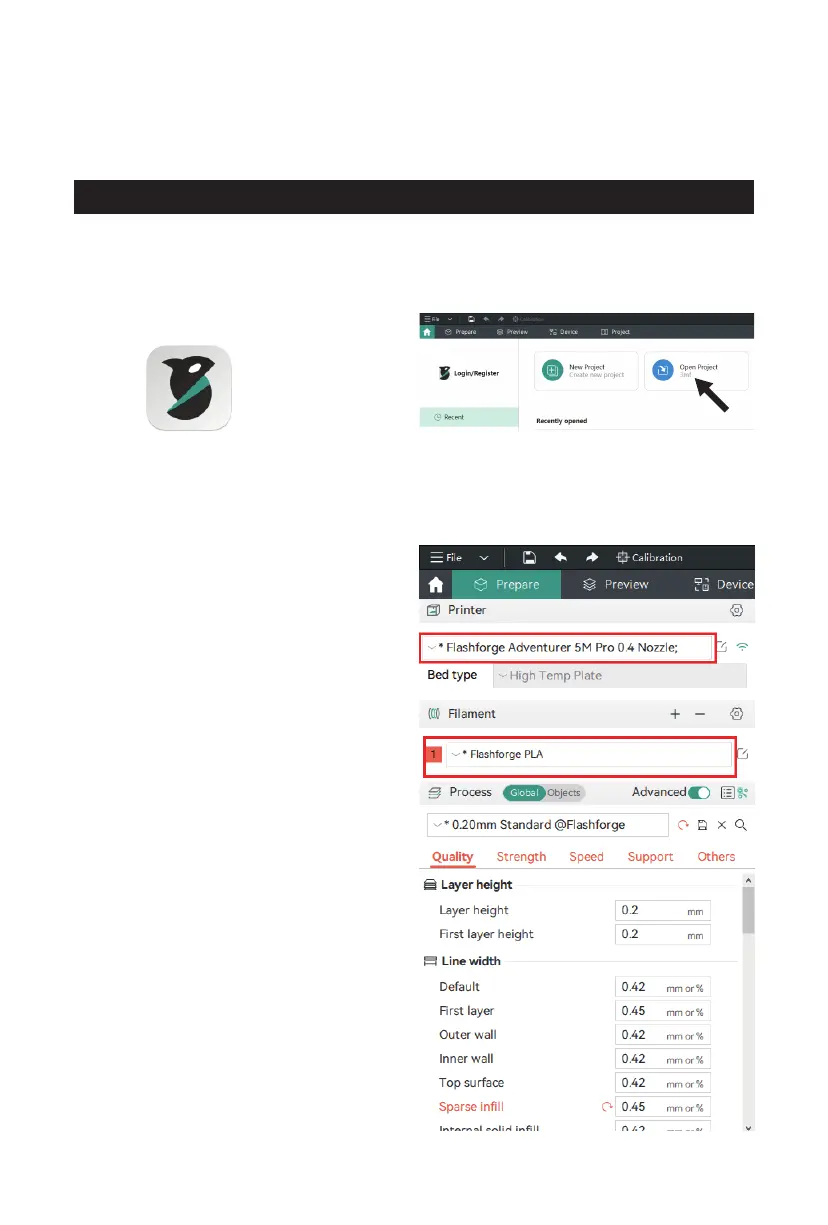
1. Open the installed OrcaSlicer. 2. Click [Open Project].
3. The profile should be in .3mf format. You
can find the corresponding file on the USB
flash drive. Drag it directly into OrcaSlicer,
or open it directly (if the machine is not
configured with a USB flash drive, please
download the corresponding profile from
Flashforge's official website).
4. After importing the profile, the software
interface will display the corresponding
printer, and you can select the desired
printing material.
15















 To Next Page