* The steps are illustrated for one machine type.
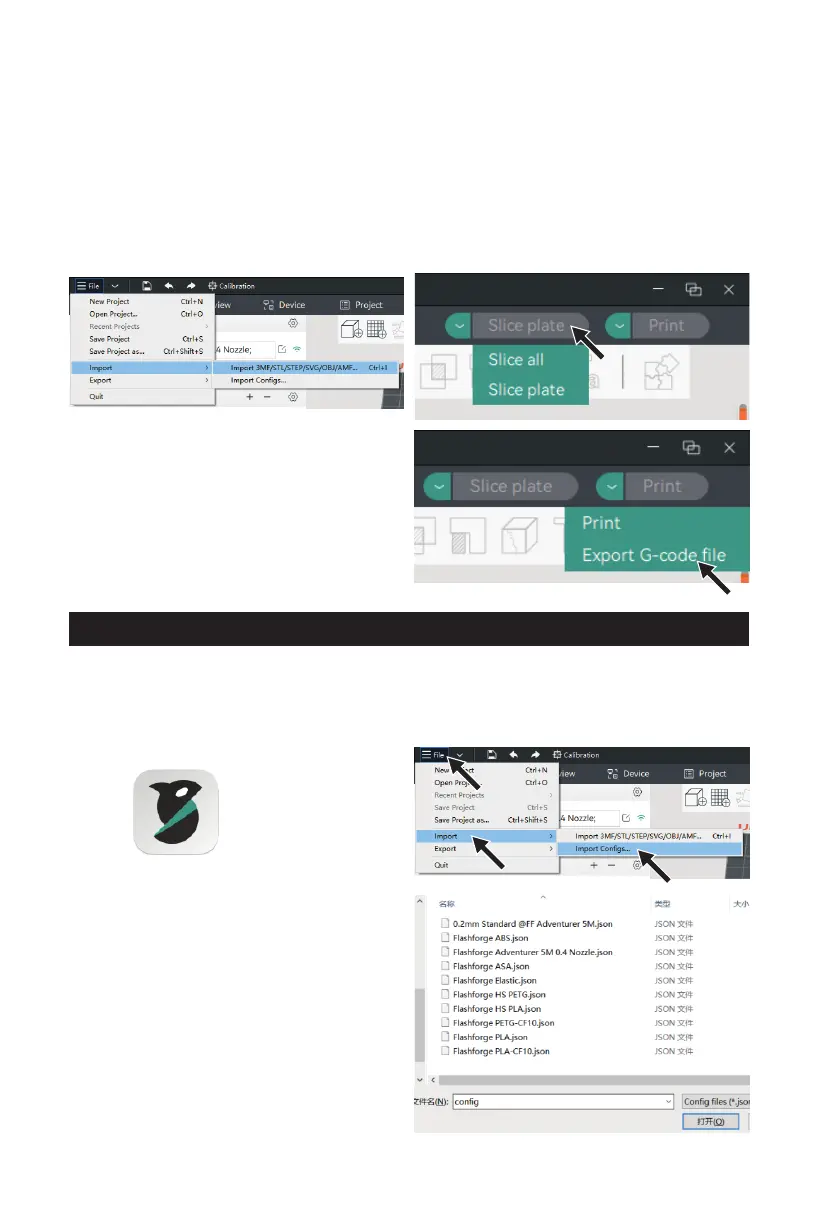
5. Select the model file to be printed. You can
drag it directly into the software, or click
[File] - [Import] to import the model file
(STL/STEP/OBJ/3MF, etc.).
6. Click [Slice all]. Once slicing is completed, click
[Export G-code file], save the file to a USB flash
drive, and then insert it into the printer for
printing.
How to Use OrcaSlicer (Import Configs)
1. Open the installed OrcaSlicer.
3. The config file should be in .json format. You
can find the corresponding files on the USB
flash drive, select all, and open it (if the
machine is not configured with a USB flash
drive, please download the corresponding
config files from Flashforge's official website).
2. Click [File] - [Import] - [Import Configs...].
16















 To Next Page