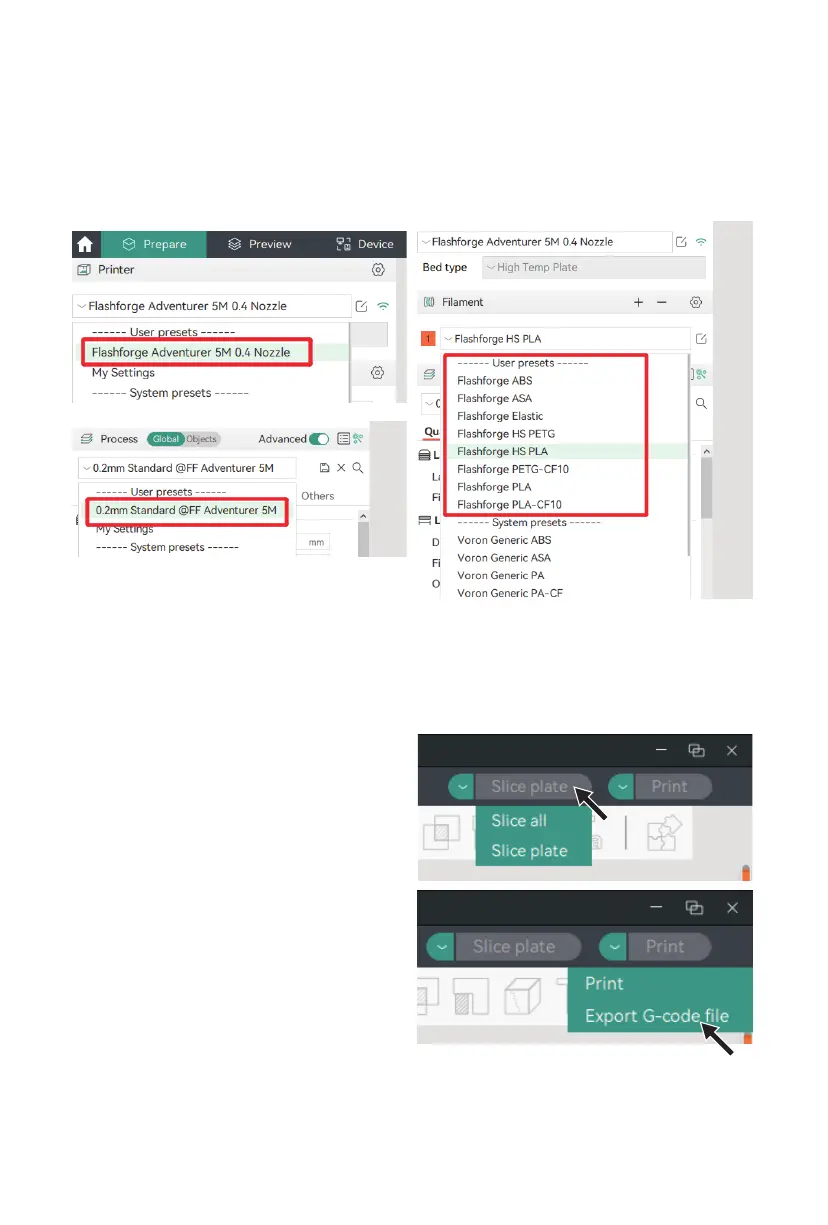
4. After importing, the corresponding printer, available filaments, and recommended parameters
will be displayed.
5. Select the model file to be printed. You can drag it directly into the software, or click [File] -
[Import] to import the model file (STL/STEP/OBJ/3MF, etc.).
6. Click [Slice all]. Once slicing is completed,
click [Export G-code file], save the file to a
USB flash drive, and then insert it into the
printer for printing.
17















 To Next Page