EasyManua.ls Logo

Flashforge Creator 3 - Page 38

Flashforge Creator 3
100 pages
Print Icon
To Next Page IconTo Next Page
To Previous Page IconTo Previous Page
Loading...
37
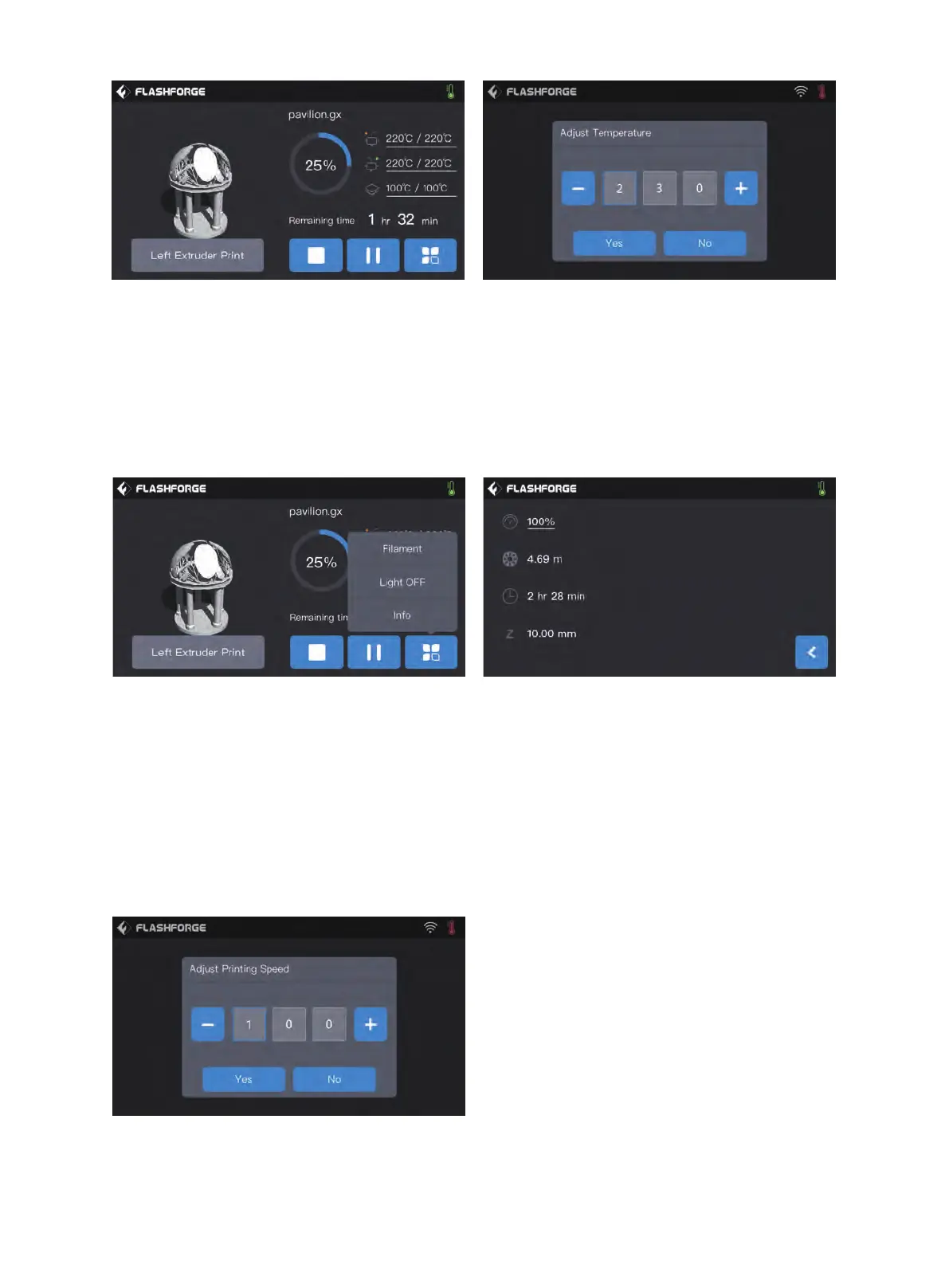
Tap more buttons during printing

coordinate)
Filament changing:
Turn off the light: 
Details:
Print speed: 
Filament use: 
Print time: Check print time
Z-axis: Check Z-axis coordinate
Back:
To set extruder printing speed during printing

To modify left/right Extruder and baseboard
temperature:
After temperature has reached target temperature,

choose number box,modify extruder temperature by


Print interface
Abort:
Pause/Resume:
More: 

usage,print time and Z-axis coordinate
Left/Right Extruder temperature,build plate
temperature:



Other manuals for Flashforge Creator 3

Related product manuals