16
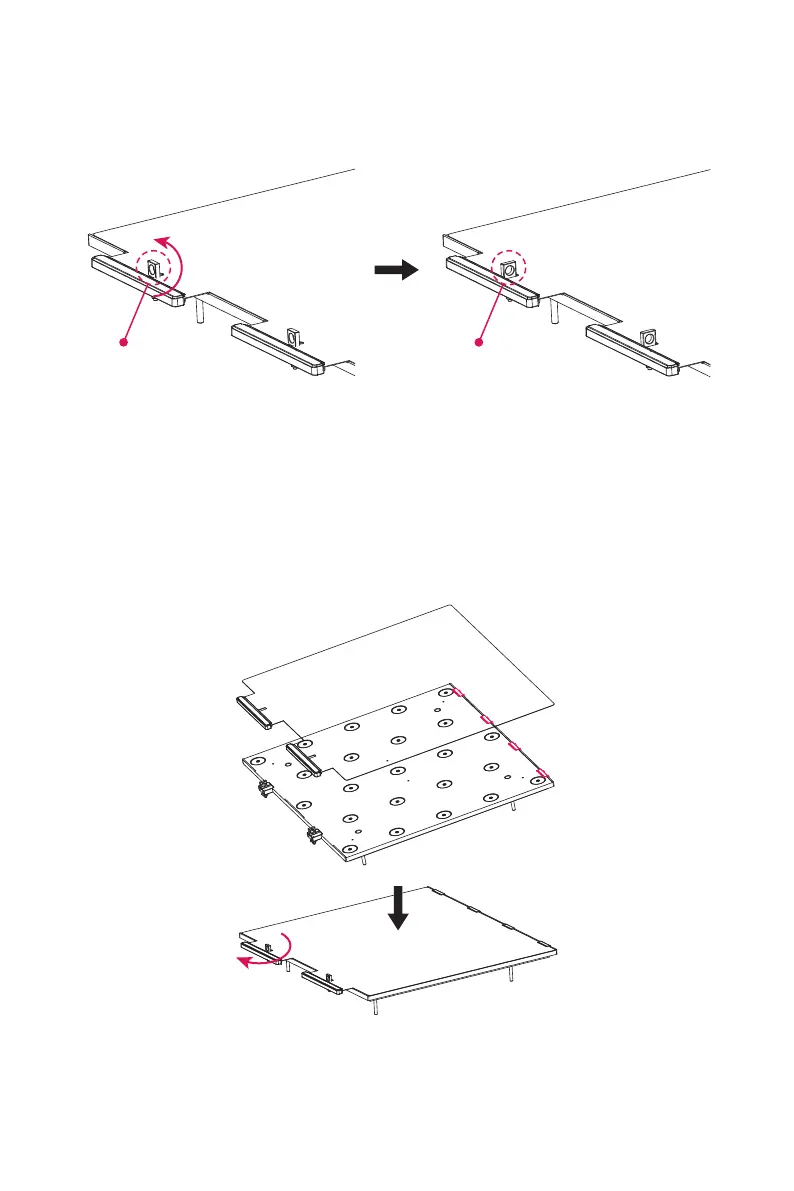
After finishing printing, lift the lock latch on the front of the platform plate upwards
and rotate it 90 degrees, take out the whole platform plate, and bend the platform
plate to remove the model.
Remove the model and put the platform plate back into the equipment again.
Operate as follows:
1. Install the flexible steel plate on the platform plate with the four snap hooks
inserted at the rear end (note that they should be inserted on the inside of the snap
hooks);
2. Rotate the lock latch 90 degrees and press the flexible steel plate.
Locking Unlocking















 To Next Page