26
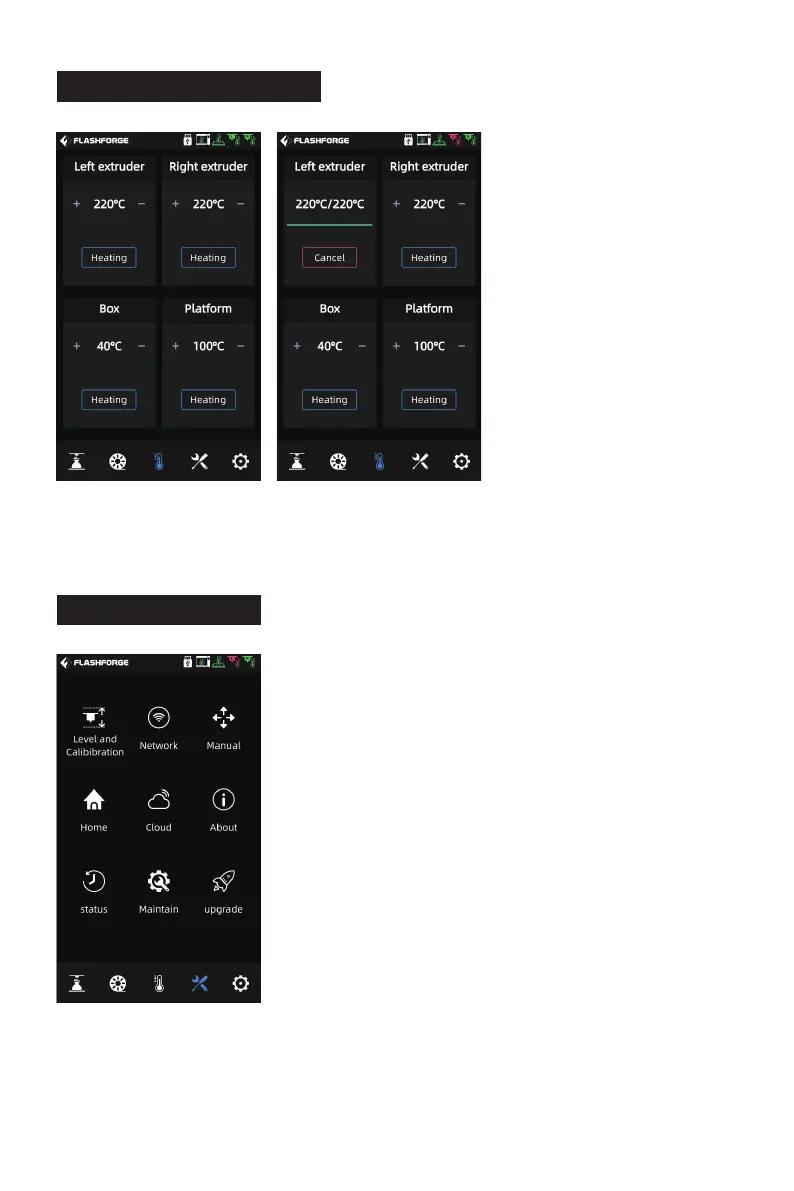
6.4 Tools Screen
[Network]: Here you can connect the wireless network,
wired network and hot spot.
[Manual] (Manual control): Here you can manually
move the X,Y,Z axis of the equipment.
[Home]: Here you can make each axis of the equipment
return to the zero position.
[Cloud]: Here you can connect to the FlashCloud.
[About]: Here displays the basic information about the
equipment.
[status]: Here displays the running status of the
equipment.
6.3 Preheating Screen
The temperature of the extruder, chamber and platform can be set in advance as
required on the preheating screen.
[Maintain] (Maintenance): Here lists some maintenance items. If users encounter
any problems, you can check here.
[upgrade]: Here is for the firmware upgrade. You can upgrade to the latest firmware
of the equipment when the wireless network is connected.
The tools screen includes:
[Level and Calibibration]:
[Manual] (Manual calibration): Z-axis calibration,
X,Y-axis calibration, expert mode calibration.
[Assist] (Auxiliary calibration): extruder sensor
calibration, automatic leveling.















 To Next Page