19
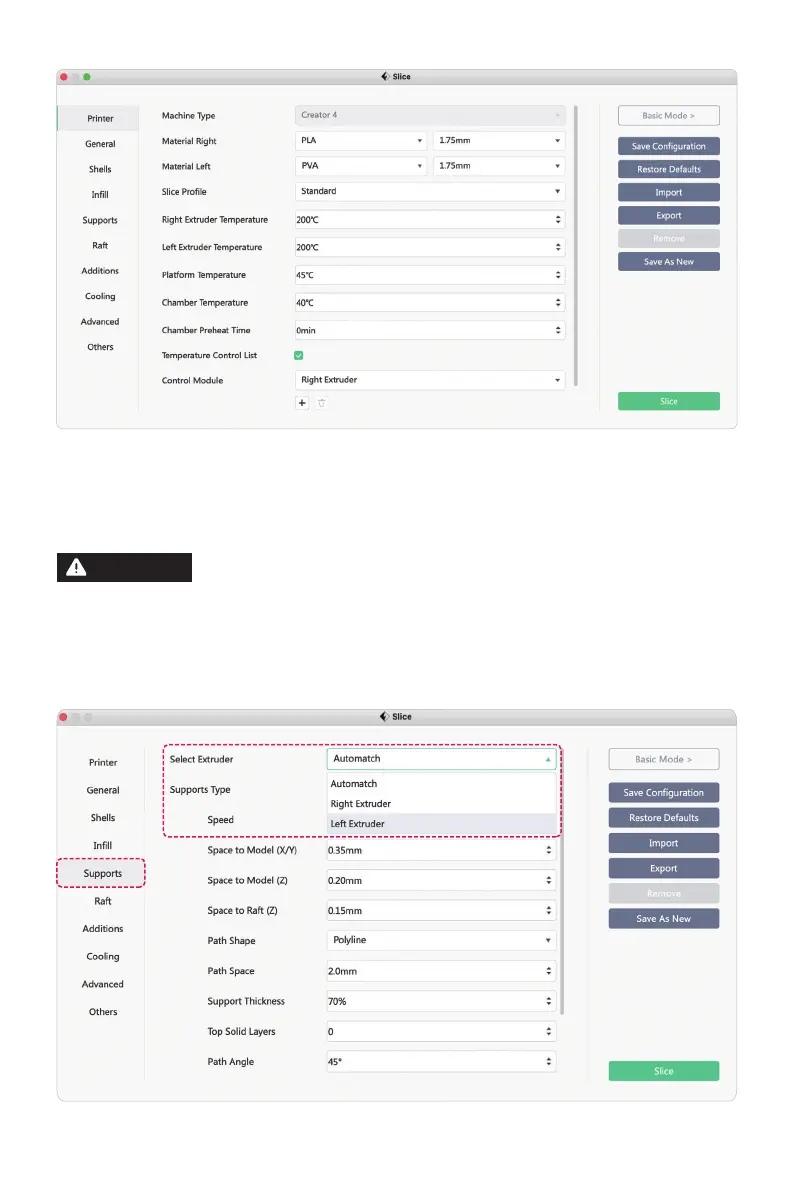
4. Click the [Start Slicing] to enter the parameter configuration screen;
5. Select the configured filaments (for example, Creator 4 PLA+PVA);
6. Click the [Slice].
By default, the equipment prints the support and model with
the same extruder. If different filaments are used for support
(such as printing PVA support with the left extruder and
printing PLA model with the right extruder), select the left
extruder in the support options.
ATTENTION















 To Next Page