
 Need help?
Do you have a question about the FLINTAB 47-11 and is the answer not in the manual?
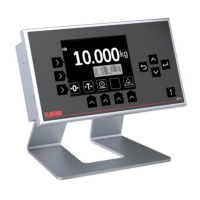
Details the key features and capabilities of the Flintab 47-11 weight indicator.
Explains the on-screen touch-buttons for weighing and navigation, and their functions.
Describes the standard display layout, status indications, weight unit, and capacity name-plate.
Describes how to acquire a zero level to ensure accurate weighing starts.
Explains how to tare a container to display the net weight of material.
Details how to manually key in an arbitrary tare value using touch/push-buttons.
Explains 'simple' printouts that print current weight and data without totalizing.
Describes summing printouts that add current weight to an accumulating sum.
Details how to use the indicator to count discrete items instead of displaying weight.
Details the connection of the load cell or scale using a shielded RJ45 plug.
Specifies the required power source and connector type for the indicator.
Describes weighing faults like overload or sensor errors and their display.
Covers normal operational status indications, including 'wait for power on zero' state.
Details the physical dimensions of the indicator and panel cut-out.
Lists general, load cell interface, and other operating conditions and specifications.
 General
| Brand | FLINTAB |
|---|---|
| Model | 47-11 |
| Category | Accessories |
| Language | English |

 To Next Page