39
Cleaning / Disinfection / Processing
10.3 Filter change
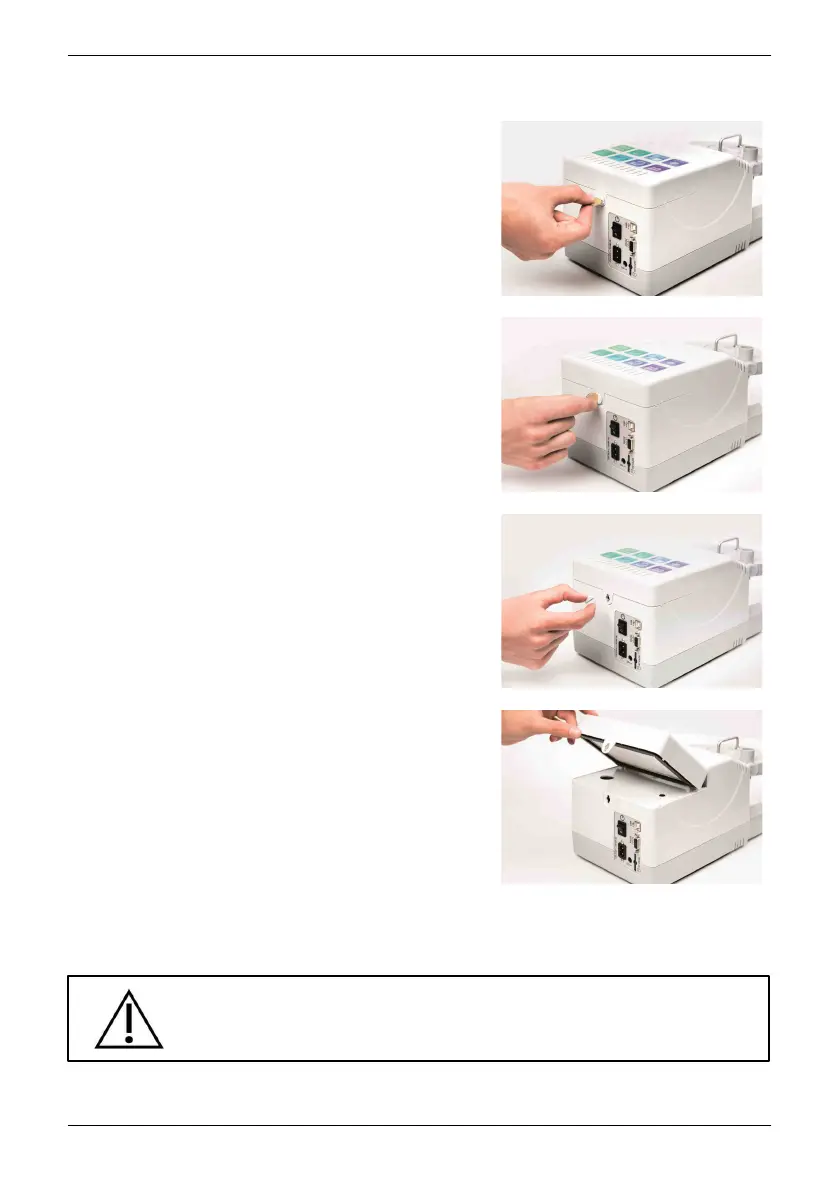
To change the filter, take a
coin or similar thin object. Insert the coin
into the Lock for the filter box.
Turn the Lock for the filter box to a
vertical position.
Then pull the lock from the opening.
and lift the filter cartridge out of the
device.
Replace it with a new filter cartridge. Make sure the filter cartridge is properly
inserted. Lock the filter cartridge with the lock supplied Lock for the filter box.
Caution!
Only use approved filters!


 To Next Page