STRADA GENERATION3 – S5 - INSTALLATION MANUAL
56/66
7.8 Installing internal components
Safety information:
Remove all metal objects (watch, jewellery, etc.) from your hands, wrists, and
neck before starting the intervention.
Wear adapted personal protective equipment: protection gloves and goggles.
To avoid electrostatic discharge when handling the battery:
Do not wear clothes and shoes that may create an electrostatic charge.
Only clean the battery with wet absorbent cloths.
In case of accidental contact between the eyes and the electrolyte, rinse
immediately with large amounts of water.
Check that the FCC sticker is correctly positioned on the housing.
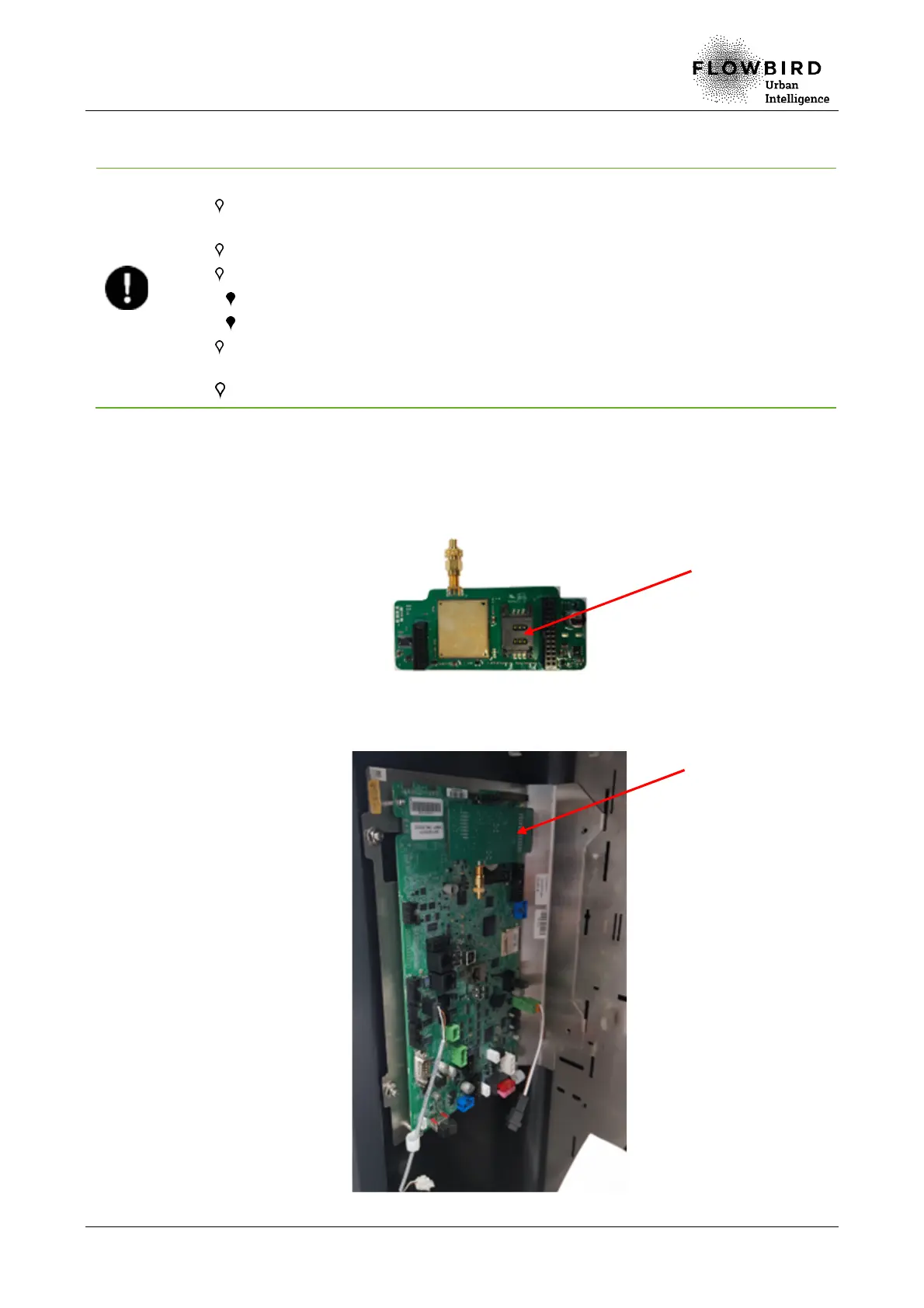
7.8.1 SIM card
A. Remove the modem from the main board
B. Open the SIM card holder (1) on the modem and insert the SIM card.
C. Close the SIM card holder
D. Install the modem (2) on the main board
1
2



 To Next Page