Getting Started
Simple Measurement - Function Check 2
2-7
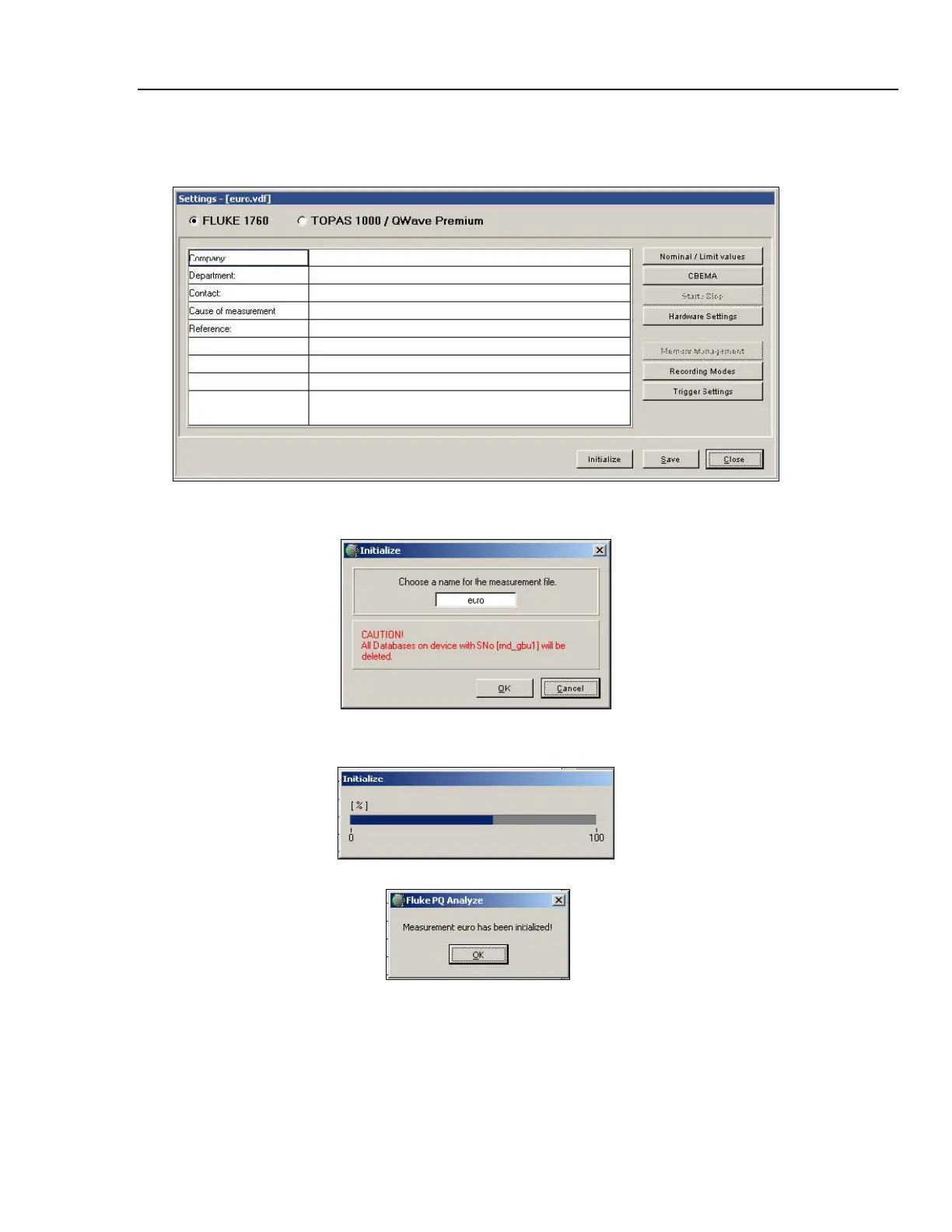
Initialization: The “Settings” window is the starting point for all measurement
configurations. For now accept the default settings and press “Initialize”
2_6.bmp
Choose a name or accept the default one. Press OK.
2_7.bmp
Wait while measurement is initialized.
2_8.bmp
2_9.bmp
Press “OK” and watch the “RECORDING STATUS” LED on the instrument. It should
start flashing slowly indicating the active measurement.
Close the “Settings” window.



 To Next Page